

Appearance
Skip to content
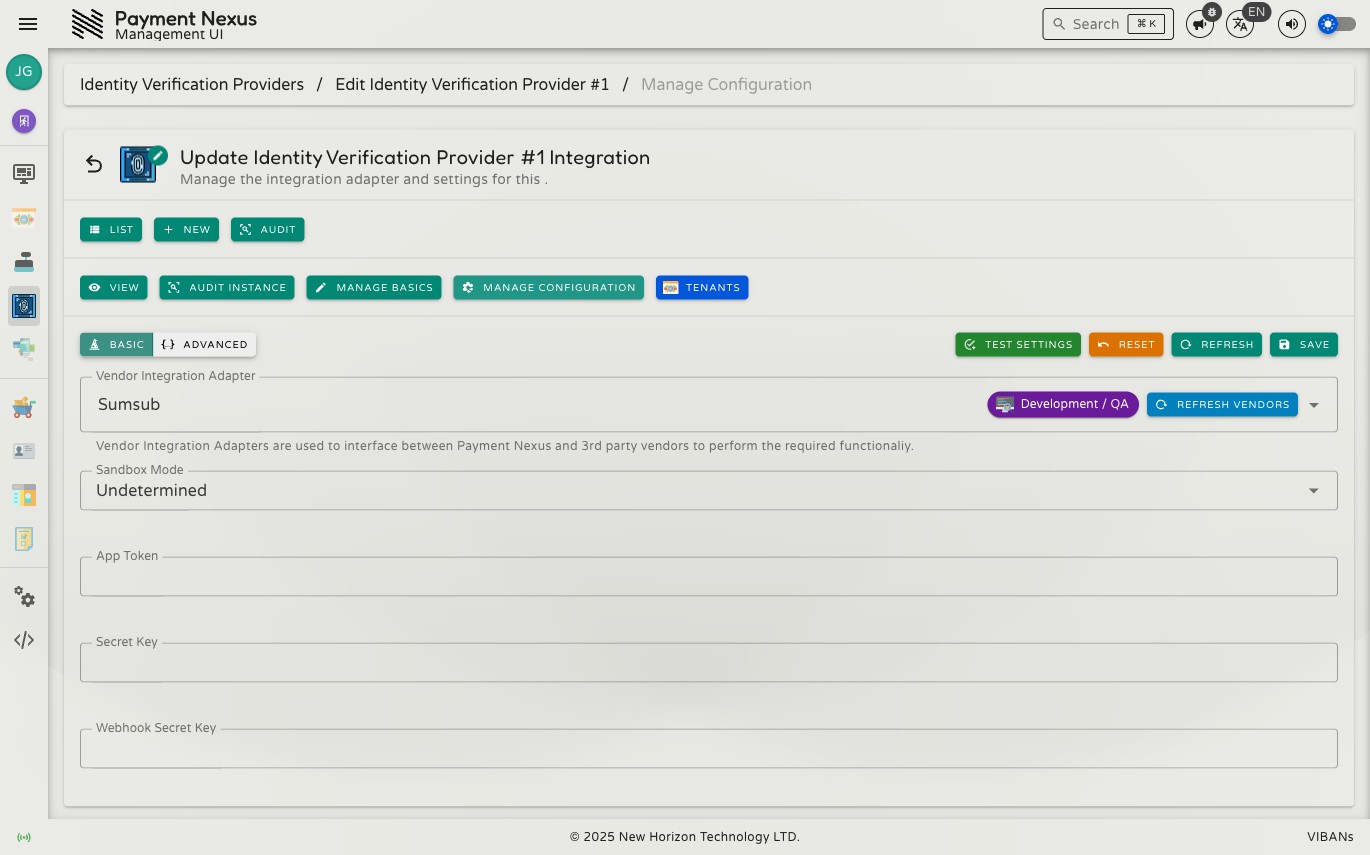
Editing an Identity Verification Provider
Permissions
| Action | Permission required |
|---|---|
| Edit name and description | integrations:kyc:update |
| Edit vendor adapter configuration | integrations:kyc:update |
Basics
Click Manage Basics to edit the provider account's display name and description.
Adapter configuration
Click Manage Configuration to connect this provider account to its KYC vendor integration. The page works the same way as PSP Adapter Configuration: a vendor selector, a Basic tab with fields defined by the selected integration, an Advanced tab showing the same configuration as raw JSON, and the same toolbar actions.
| Action | Description |
|---|---|
| Test Settings | Checks whether the current configuration can successfully connect to the identity verification vendor |
| Reset | Discards all unsaved changes |
| Refresh | Reloads the saved configuration from the server |
| Save | Saves the current integration selection and all configuration values |
See PSP Adapter Configuration for the full behaviour of vendor switching, the Basic/Advanced relationship, and how test failures are reported — it applies identically here.