

Appearance
Skip to content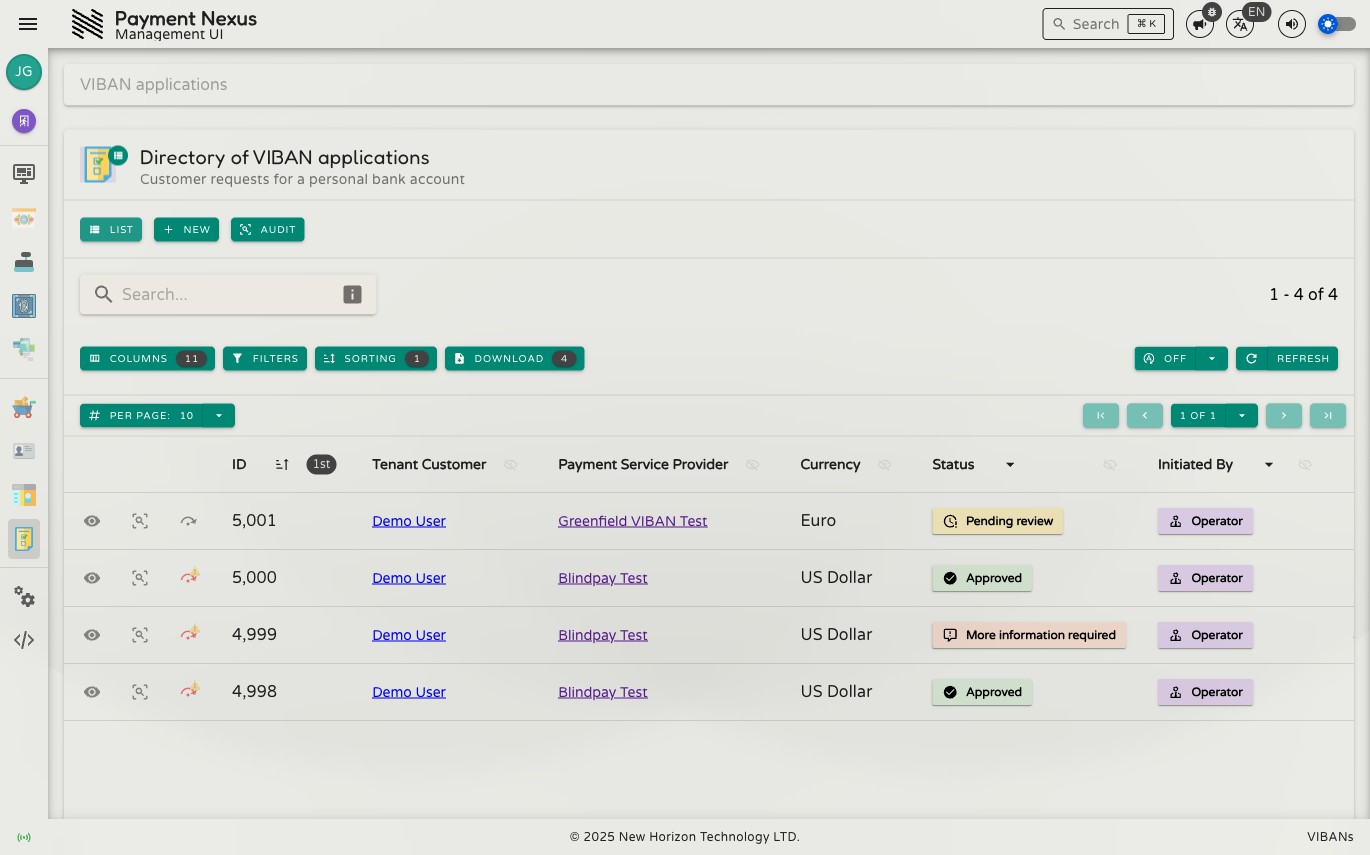
The VIBAN Applications Module
A VIBAN application is a customer's request for a personal bank account — see VIBAN Overview for what that means and how it fits into checkout. This module tracks every application from submission through to a final decision.
Permissions
| Action | Permission required |
|---|---|
| View an application | viban_application:read |
| View its personal (PII) details | viban_application:read:pii |
| View its audit trail | viban_application:audit |
| Create an application | viban_application:create |
| Cancel an application | viban_application:cancel |
| Correct or override a status | viban_application:disposition (or viban_application:disposition:override — see Correcting & Managing an Application) |
| Reconcile against the provider | viban_application:reconcile |
Directory columns
| Column | Description |
|---|---|
| ID | Internal Payment Nexus identifier for this application |
| Tenant Customer | The customer who applied |
| Payment Service Provider | The provider account the application was submitted against |
| Currency | The currency of the requested account |
| Status | The current lifecycle status — see below |
| Initiated By | Customer or Operator |
| External Application ID | The provider's own reference for this application |
| PSP Customer Account | The issued account, once one exists |
| KYC Provider | The identity verification provider used |
| Created At | When the application was submitted |
| Updated At | When the application was last modified |
Application status
| Status | Meaning |
|---|---|
| Draft | Started but not yet submitted to the provider |
| Submitted | Sent to the provider and awaiting their first response |
| Pending review | The provider has the application and is reviewing it |
| More information required | The provider has asked for further details before deciding |
| Approved | The provider approved the application and an account was issued |
| Rejected | The provider declined the application |
| Cancelled | Stopped before the provider reached a decision |
| Expired | Lapsed without a decision being reached |
KYC verdict is shown separately from application status
An application's detail page also shows an identity verification verdict from the connected Identity Verification Provider. This is tracked independently of the application's own status — never verified (the customer hasn't been checked yet) and rejected (the check failed) are shown as distinct outcomes, since they mean different things: one is a gap to close, the other is a decision already made.
Row actions
Each row offers View and Audit as pinned actions, plus Correct/Override Status where you hold the required permission — see Correcting & Managing an Application.