

Appearance
Skip to content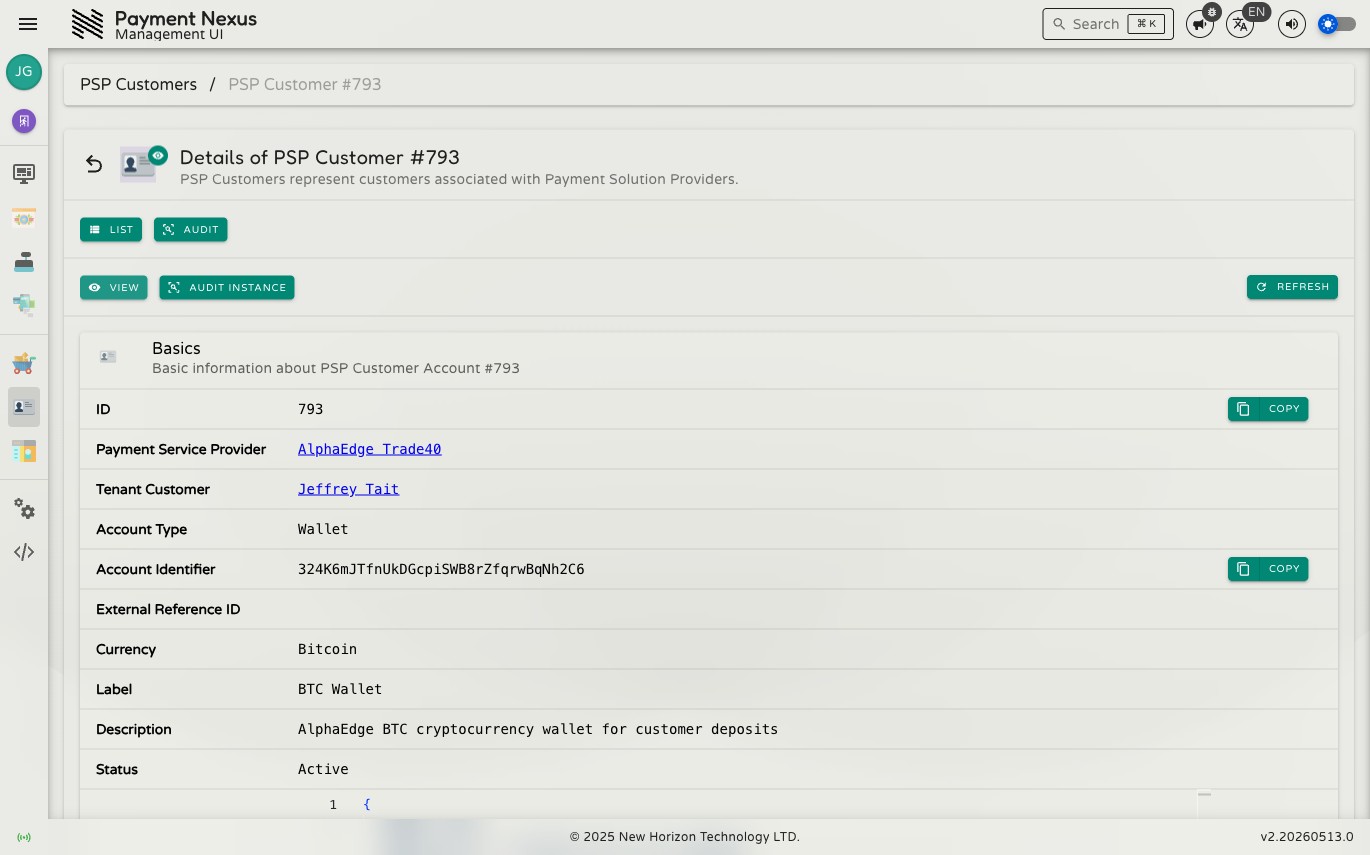
Viewing a PSP Customer Account
The account detail page shows all fields for the PSP Customer Account in a single Basics card.
Permissions
| Action | Permission required |
|---|---|
| View an account | psp_customer_account:read |
| Edit an account | psp_customer_account:update |
| View audit trail | psp_customer_account:audit |
| Reconcile transactions | psp_customer_account:reconcile |
| Revoke an account | viban_account:revoke |
Basics
| Field | Description |
|---|---|
| ID | The internal Payment Nexus identifier for this account. Copyable. |
| Payment Service Provider | The PSP that issued this account. Links to the PSP record. |
| Tenant Customer | The customer this account belongs to. Links to the tenant customer record. |
| Account Type | The type of account — wallet for a PSP wallet, bank_account for a VIBAN. |
| Account Identifier | The account address or reference issued by the PSP — for example a crypto wallet address or virtual IBAN. Copyable. |
| External Reference ID | An additional reference from the PSP. Copyable when present. |
| Currency | The currency this account is denominated in. |
| Label | A short name for the account. |
| Description | A longer description of the account, typically set by the PSP integration. |
| Status | Active, Inactive, Expired, or Revoked. |
| Metadata | Additional structured data provided by the PSP integration, displayed as JSON. Copyable. |
| Created At | When the account was first recorded in Payment Nexus. |
| Updated At | When the account was last modified. |
VIBAN accounts
An account issued through the VIBAN Applications module carries a VIBAN Application link in the toolbar, pointing back to the application that issued it. This link only appears for accounts with a bank/currency route behind them — a plain wallet account has no application to link to.
Reconcile
Click Reconcile Transactions to ask the provider for this account's transactions and reconcile them against what Payment Nexus already has. This reconciles transaction history only — it doesn't change the account's status.
Revoke
Cannot be undone
Revoking stops the account being used for any further VIBAN activity. Existing records are kept for audit, but the account itself can't be reactivated from here.
Revoke Account is only offered while the account isn't already revoked. A reason is required and is recorded on the audit trail.