

Appearance
Skip to content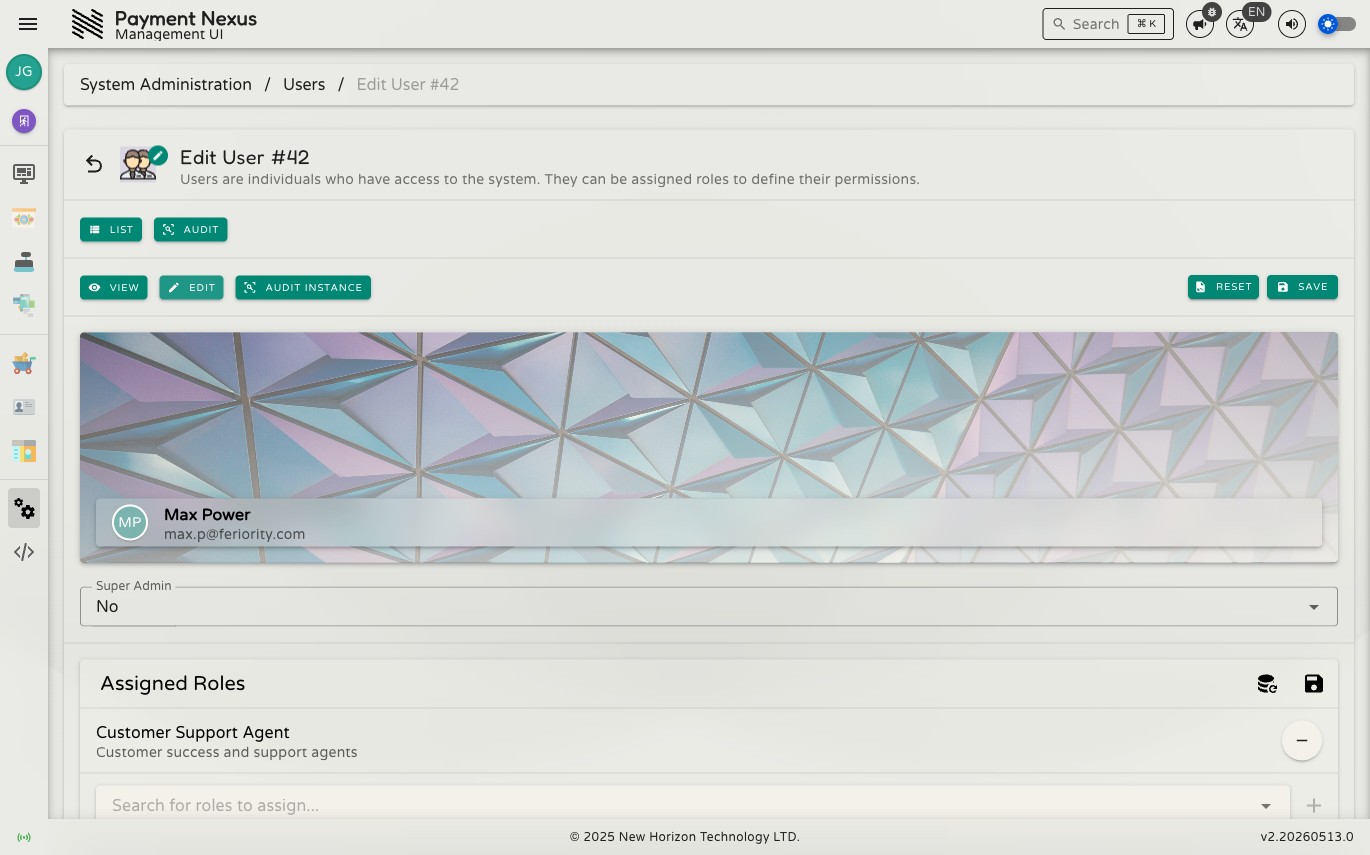
Editing a User
The edit page controls what a user is allowed to do in Payment Nexus. There are two things you can change: their Super Admin status and their assigned roles.
WARNING
You cannot edit your own user account. The edit page is blocked for the currently authenticated user.
Super Admin
The Super Admin dropdown grants unconditional access to every capability in the system, bypassing role assignments entirely. A Super Admin cannot be locked out by role configuration.
This should only be set for break-glass accounts or initial system setup. For day-to-day access management, use roles instead.
Assigned Roles
The Assigned Roles section shows the roles currently attached to the user. Each role is listed with its name and description.
- To add a role, type in the search box to find it and click the + button.
- To remove a role, click the − button next to it.
Role changes take effect after the user logs out and back in — updates are not applied to an active session.
Saving changes
Click Save to apply changes. Click Reset to discard any unsaved changes and revert to the last saved state.