

Appearance
Skip to content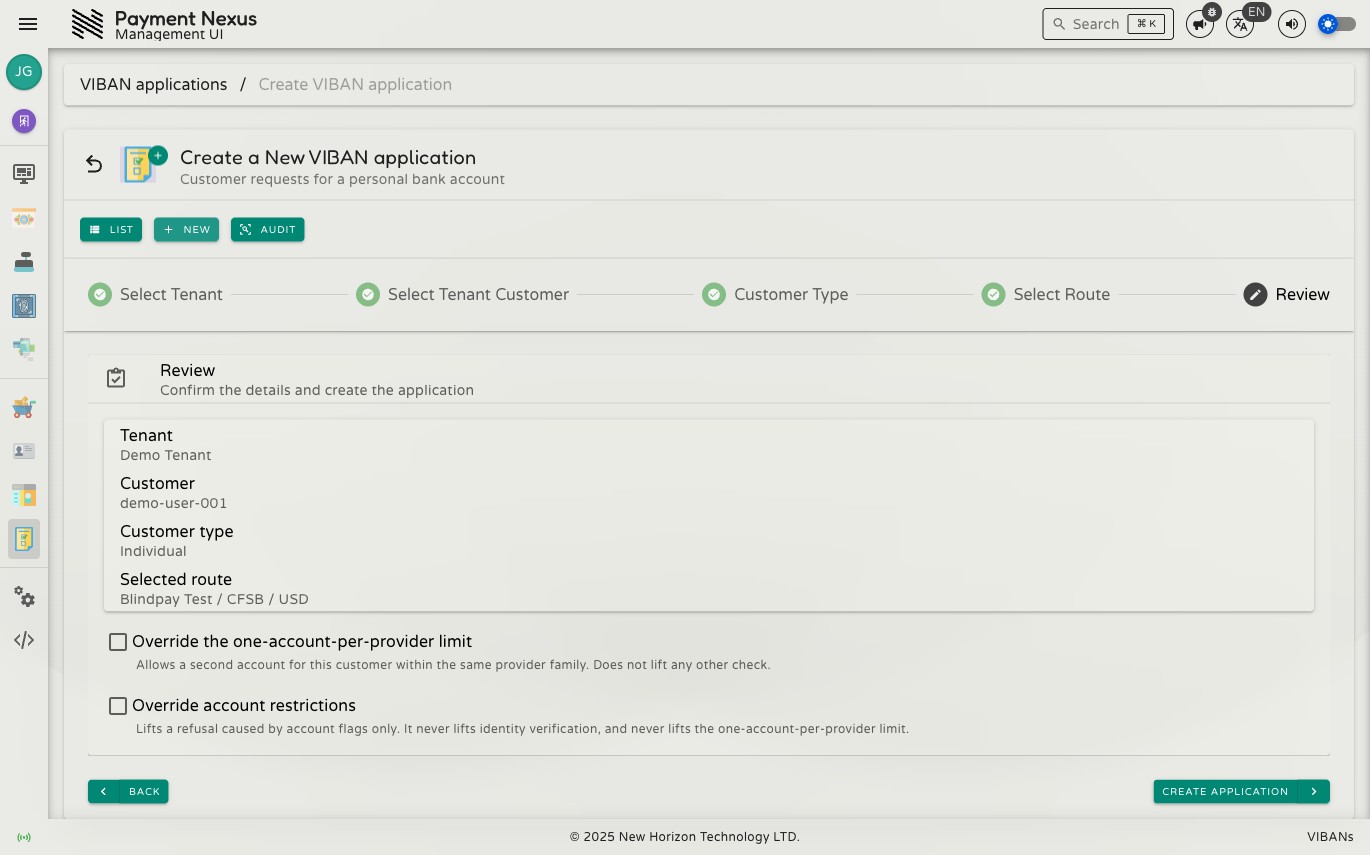
Provisioning a VIBAN for a Customer
Operators can create a virtual international bank account number (VIBAN) application for a customer who requests a dedicated bank account for wire deposits. This guide explains how to create and submit an application in the management portal.
Before you start
You need:
- The customer's external ID in the tenant CRM (used to search on the Select Tenant Customer step)
- The requested deposit currency
- The
viban_application:createpermission
Step by step
Open the VIBAN Applications directory and click New. The creation flow contains five steps: Select Tenant, Select Tenant Customer, Customer Type, Select Route, and Review.
During Select Route, the system only displays providers configured for VIBAN issuance for the selected tenant. If the expected provider does not appear, configure the provider in VIBAN Route Priority or enable it in Availability.
On the Review step, the system indicates if the customer already has a VIBAN under a different account within the same provider family. If a conflict exists, the system displays an override checkbox. For instructions on duplicate accounts, see When a Customer Already Has a VIBAN With a Provider. If all details are correct, click Create application.
What happens after you submit
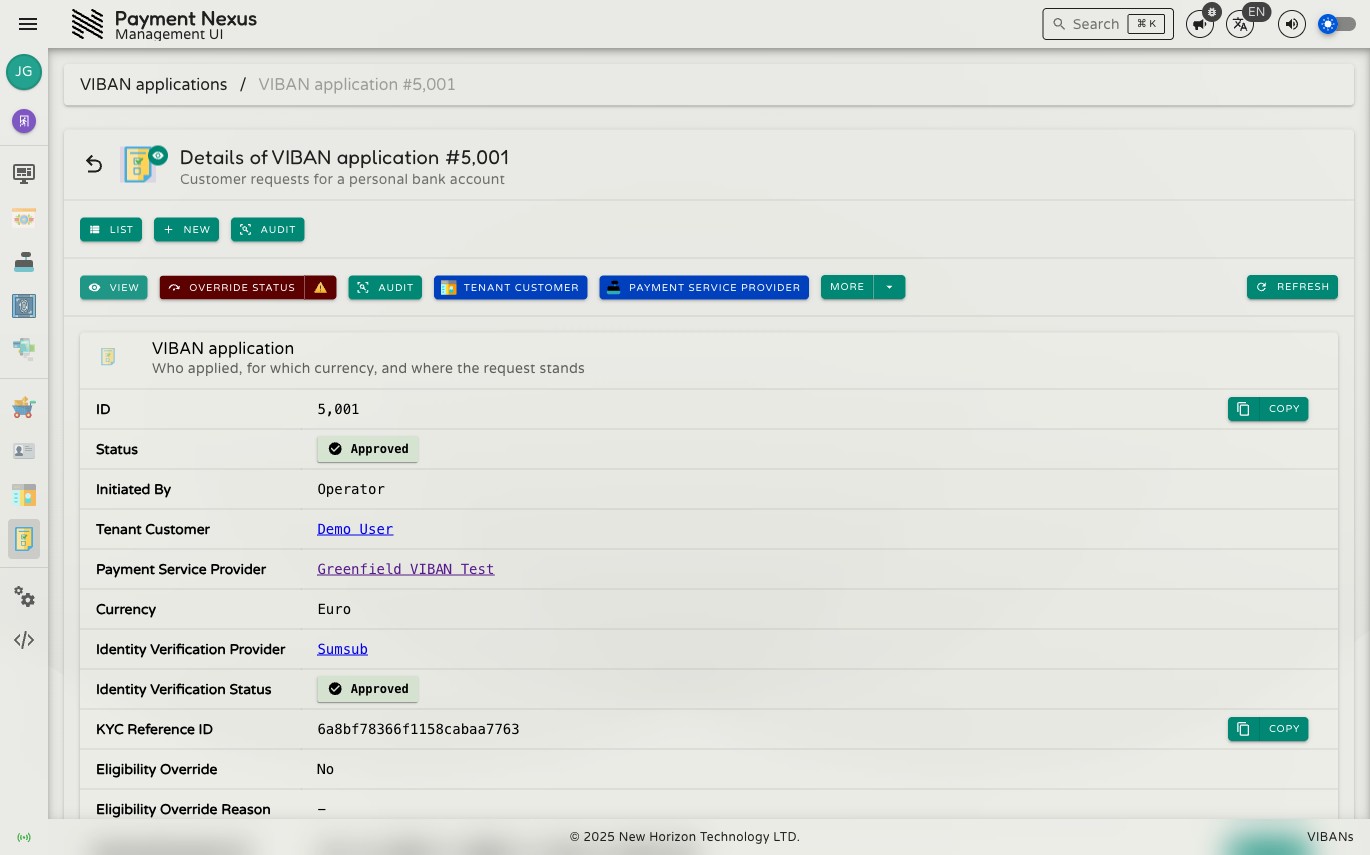
Payment Nexus submits the application to the provider. Provider response times and requirements vary. Some providers respond immediately, while others process asynchronously or request additional information. To check the status, open the application details page and view the Status field:
| Status | What it means for you |
|---|---|
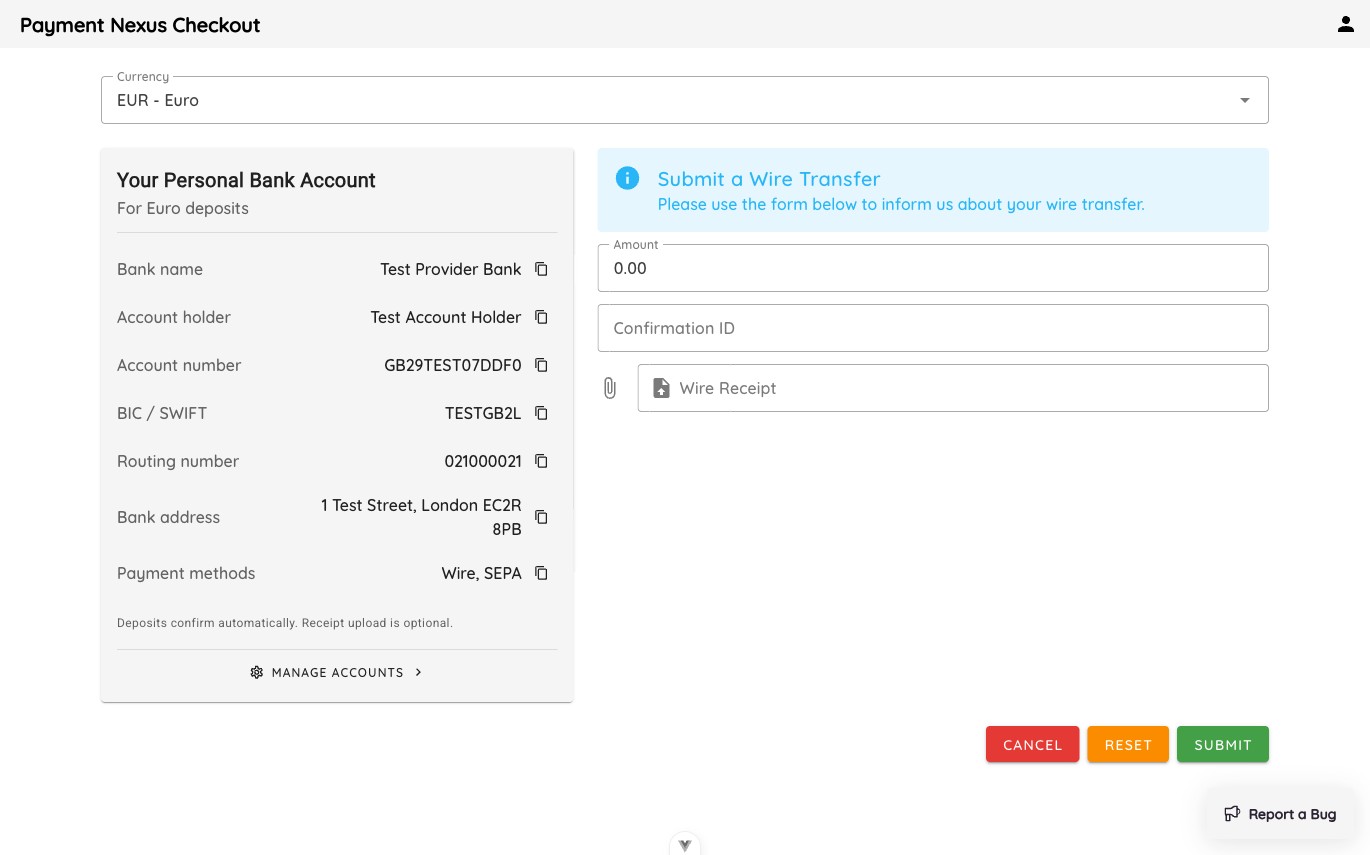
| Approved | An account has been issued. It appears on the application's PSP Customer Account link, and the customer sees it on their wire transfer channel during checkout. |
| More information required | The provider requires additional information before deciding. Check the application fields for missing requirements. |
| Pending review | The provider is reviewing the application. Check the status later, or run reconcile if the application remains pending. |
| Rejected | The provider declined the application. The Rejection Reason field states the reason. |
Tell the customer where to look
Once approved, the customer view is the wire transfer channel on checkout. Payment Nexus does not send an automatic customer notification by default. Direct customers who ask for their account details to the checkout page.
If it doesn't go through
The Review step reference table lists common refusal reasons, including unavailable routes, incomplete customer identity verification, tenant restrictions, or existing applications. Most issues require resolving configuration settings (such as enabling a route or connecting a KYC provider) rather than applying an override.