

Appearance
Skip to content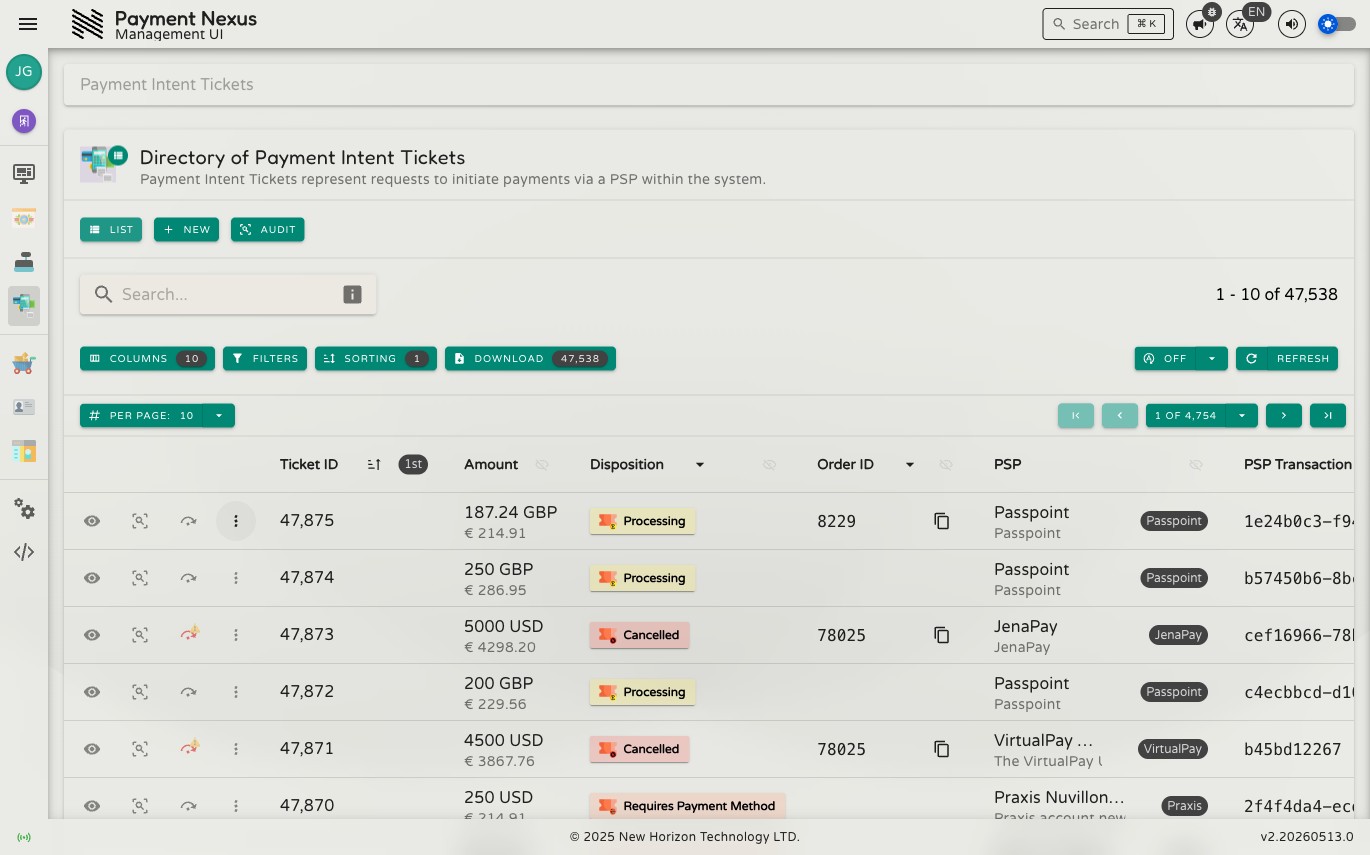
The Payment Intent Tickets Module
A Payment Intent Ticket (PIT) is a record that tracks the lifecycle of a customer's intent to make a payment — from creation through to a final outcome. Each PIT moves through a series of statuses as the payment progresses: collecting a payment method, authenticating the customer, processing with the PSP, and ultimately succeeding or being cancelled.
The Payment Intent Tickets module provides a full directory of these records with tools for searching, filtering, creating, and resolving payments.
Permissions
| Action | Permission required |
|---|---|
| List tickets | payment_intent_ticket:list |
| View a ticket | payment_intent_ticket:read |
| Create a ticket | payment_intent_ticket:create |
| Disposition a ticket | payment_intent_ticket:disposition |
| Override disposition | payment_intent_ticket:disposition:override |
| Advanced edit | payment_intent_ticket:update:advanced |
| View audit trail | payment_intent_ticket:audit |
Directory
The PIT directory is searchable, filterable, sortable, and exportable. It supports all standard directory features including the filter builder, power search, bulk actions, and column customisation. See the Directories section for full details on these shared capabilities.
Default columns
| Column | Description |
|---|---|
| ID | Internal Payment Nexus identifier for this PIT |
| Amount | The transaction amount and currency |
| Status | The current lifecycle status (see Status Lifecycle) |
| Order ID | The external order reference from the brand's system |
| PSP | The payment service provider handling this payment |
| PSP Transaction ID | The transaction identifier issued by the PSP |
| Tenant | The brand this payment belongs to |
| Tenant Customer | The customer associated with this payment |
| Tenant Transaction ID | The transaction reference used by the brand's CRM |
| Created At | When the PIT was created |
Row actions
Each row has four pinned actions plus additional items in an overflow menu.
Pinned actions:
| Action | Description |
|---|---|
| View | Open the full PIT detail page |
| Audit | View the audit history for this ticket |
The third pinned action depends on the ticket's status:
- Disposition — shown when the ticket is in a non-terminal status. Opens the disposition form to manually set the outcome.
- Override Disposition — shown when the ticket has reached a terminal status (
succeededorcanceled). Opens the override form to change the outcome.
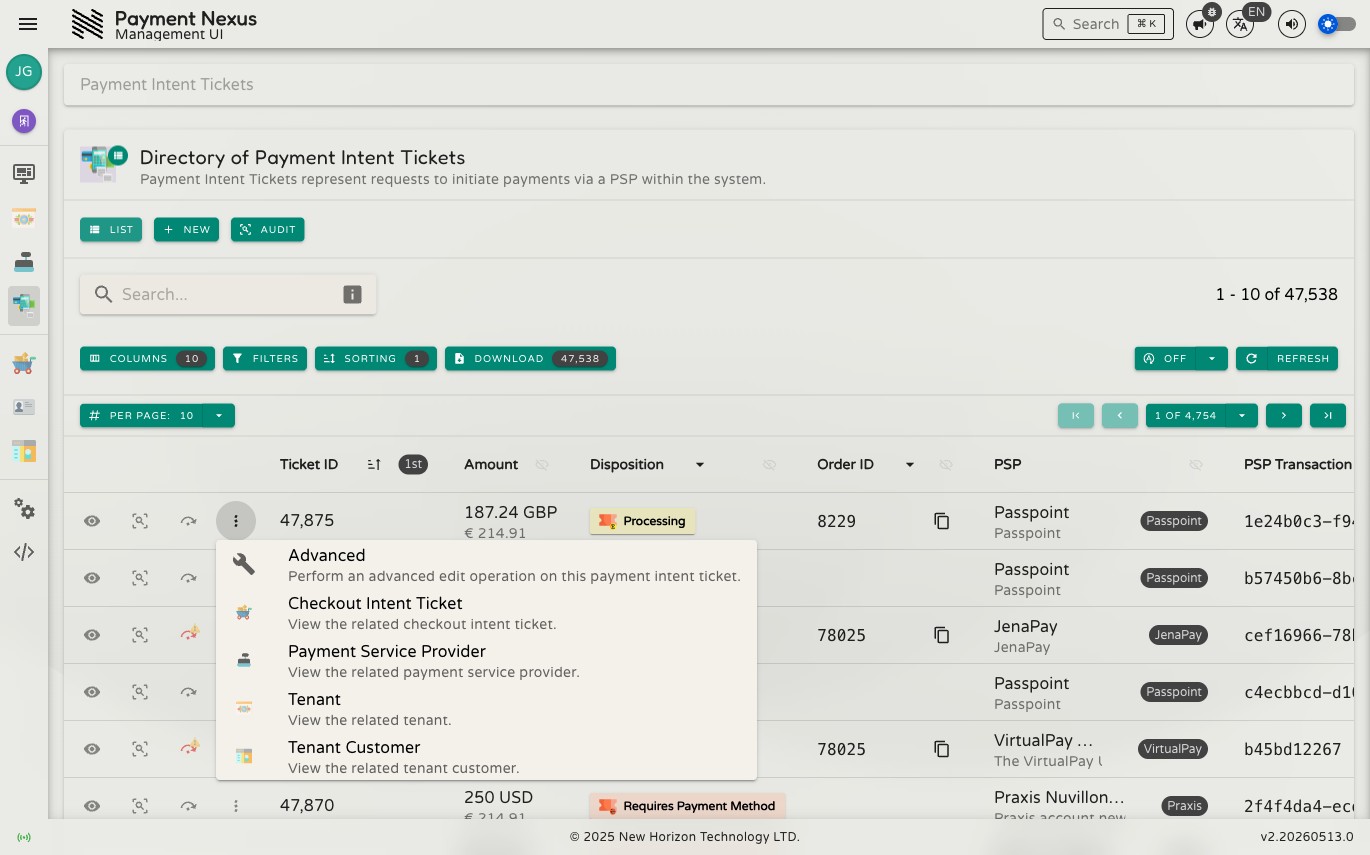
Overflow menu:
| Action | Description |
|---|---|
| Edit Advanced | Modify the advanced settings for this ticket |
| View Checkout Intent Ticket | Navigate to the related checkout session |
| View PSP | Navigate to the payment service provider record |
| View Tenant | Navigate to the brand record |
| View Tenant Customer | Navigate to the associated customer record |
Viewing a PIT
Clicking View on any row opens the PIT detail page. It shows the full transaction record across four sections — Payment Intent Basics, PSP Transaction Details, CRM Transaction Details, and Transaction Processing Details — together with a toolbar for all available actions.
See Viewing a Payment Intent Ticket for a full breakdown of every field and action.