

Appearance
Skip to content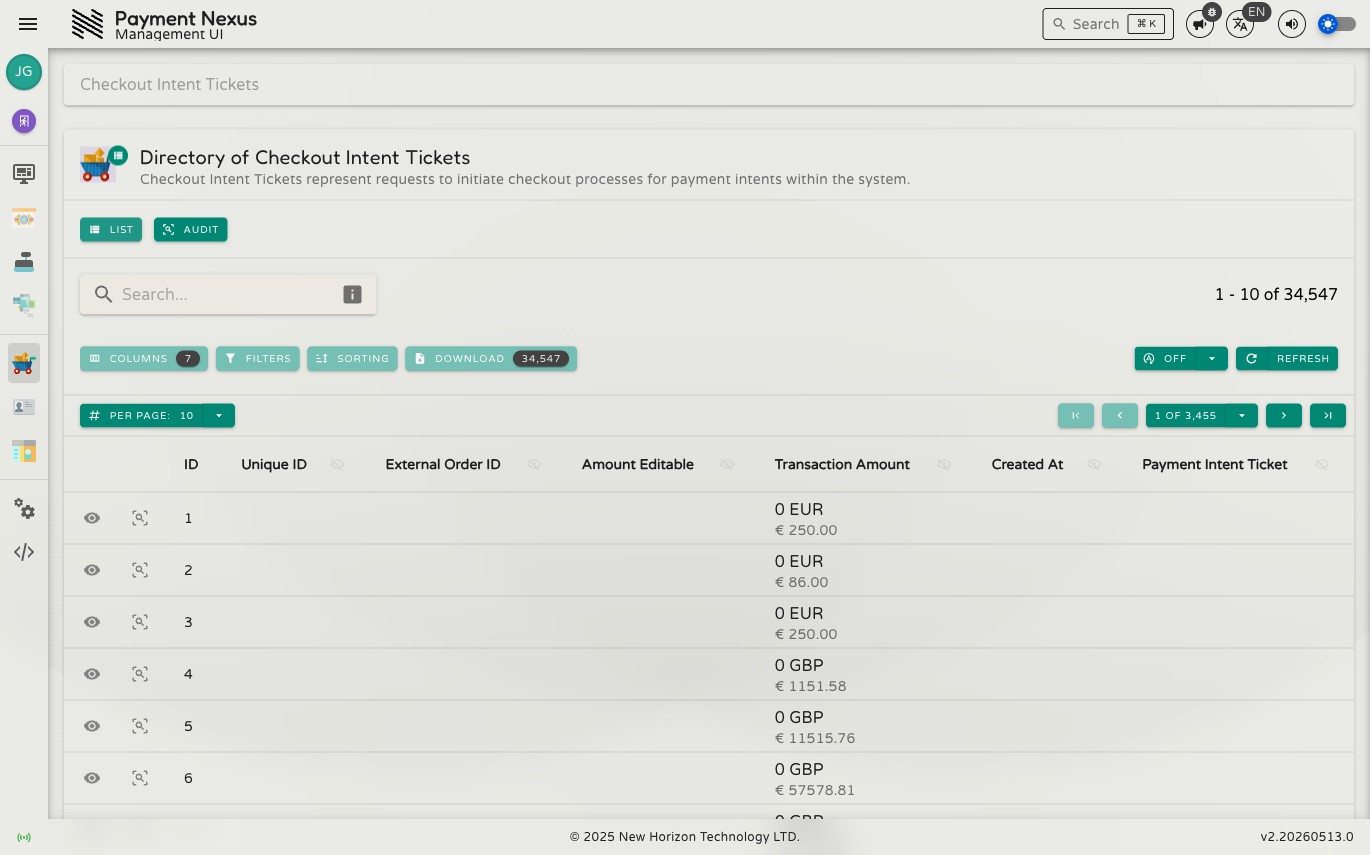
The Checkout Intent Tickets Module
A Checkout Intent Ticket (CIT) is a record of a customer-facing checkout session initiated by a brand. When a brand's platform sends a customer to the Payment Nexus checkout flow, a CIT is created to capture what the customer is paying, where they should land after the payment resolves, and whether they are allowed to change the amount before confirming.
Each CIT is linked to at most one Payment Intent Ticket — the PIT that records the actual payment attempt. If the customer completes the checkout flow and initiates a payment, the PIT is created and attached. If the session expires before the customer acts, the CIT remains with no associated PIT.
CITs are read-only in the management portal — they are created exclusively by the brand's platform via Silent Authentication and cannot be modified from the portal.
Permissions
| Action | Permission required |
|---|---|
| List tickets | checkout_intent_ticket:list |
| View a ticket | checkout_intent_ticket:read |
| View audit trail | checkout_intent_ticket:audit |
Directory
The CIT directory is searchable, filterable, sortable, and exportable. It supports all standard directory features including the filter builder, power search, and column customisation. See the Directories section for full details on these shared capabilities.
Default columns
| Column | Description |
|---|---|
| ID | Internal Payment Nexus identifier for this CIT |
| Unique ID | The public-facing identifier passed to the brand's checkout redirect |
| External Order ID | The order reference from the brand's system |
| Amount Editable | Whether the customer was permitted to change the payment amount during checkout |
| Transaction Amount | The transaction amount and currency as configured by the brand |
| Created At | When the CIT was created |
| Payment Intent Ticket | The PIT created from this checkout session, if one exists |
Row actions
Each row has two pinned actions:
| Action | Description |
|---|---|
| View | Open the full CIT detail page |
| Audit | View the audit history for this ticket |
Viewing a CIT
Clicking View on any row opens the CIT detail page. See Viewing a Checkout Intent Ticket for a full breakdown of every field.