

Appearance
Skip to content
VIBAN Overview
A VIBAN ("Virtual IBAN") is a personal bank account that a payment provider issues to a customer. When issued, it appears as the customer's own deposit details on the wire transfer channel. It is not a separate payment method.
What a VIBAN is
Without a VIBAN, all customers see the same bank account for the tenant on the wire transfer channel. When a customer has a VIBAN, they see their own account number and routing details. Any deposit sent to this account matches to the customer automatically, with no reference code or manual reconciliation required.
How accounts are structured
VIBANs are organised in a fixed hierarchy, from broadest to narrowest:
- Provider family — a payment vendor (e.g. Blindpay)
- Provider account — a specific MID under that vendor (e.g. "Blindpay Test")
- Bank — a bank partner offered through that provider account (e.g. CFSB)
- Currency route — a currency available at that bank (e.g. USD)
Operators can enable or disable availability at any of these four levels. See VIBAN Availability.
Provider-family cardinality
A customer can only hold VIBANs under one provider account per provider family. For example, if a customer has an account with Blindpay Test, they can add more currencies or banks under that same account. However, a second application for a different Blindpay account is rejected unless an operator manually overrides it. A customer can switch to a different provider family (for example, from Blindpay to another vendor) without restrictions.
How an account gets issued
There are two ways a VIBAN application starts:
| Initiated by | How |
|---|---|
| Customer | The customer requests one directly from checkout. Two things must be true first: the tenant's wire transfer channel must be enabled, which is what makes customer-initiated requests possible at all, and a provider must actually be configured to issue VIBANs on VIBAN Route Priority, which determines what the request can actually be issued through |
| Operator | An operator creates one on the customer's behalf through the creation wizard |
In both cases, the request creates a VIBAN application. The system sends the application to the provider and tracks it until the provider makes a decision.
Identity verification is separate from CRM compliance
Before the provider can issue a VIBAN, the customer must pass identity verification (KYC) through a connected Identity Verification Provider. The system tracks this verification separately from the customer's CRM-reported Compliance Status. Passing one check does not mean the customer passes the other.
Turning off a route doesn't touch money already sent
Disabling a provider, bank, or currency route only stops new accounts from being issued and hides existing accounts under that route from the customer. It does not affect deposits that are already in progress. Any deposit sent to an account issued before the change is still received and processed normally.
What the customer sees
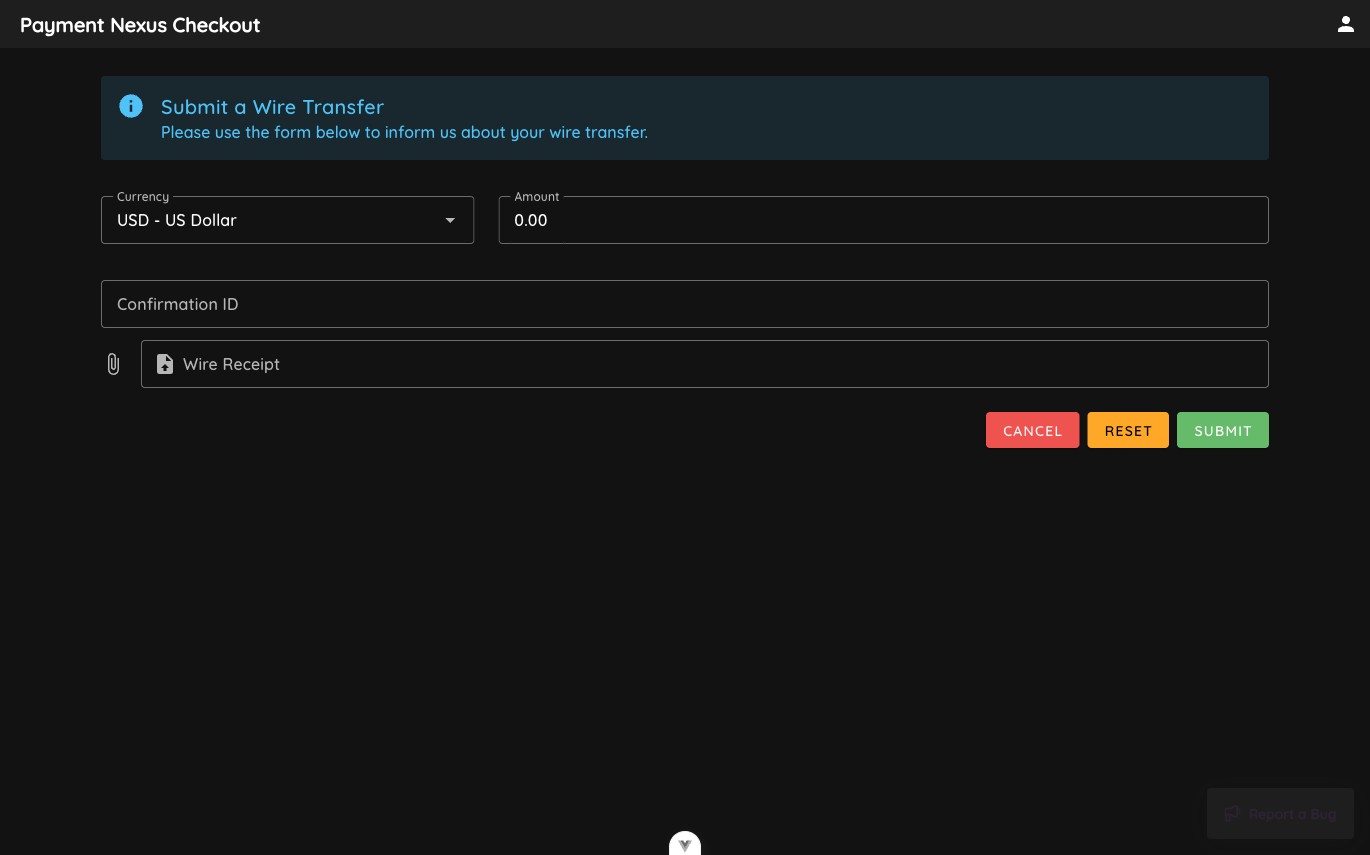
Without an issued VIBAN, the wire transfer channel shows a standard submission form. The customer enters the currency, amount, and a confirmation ID, and can attach a wire receipt.
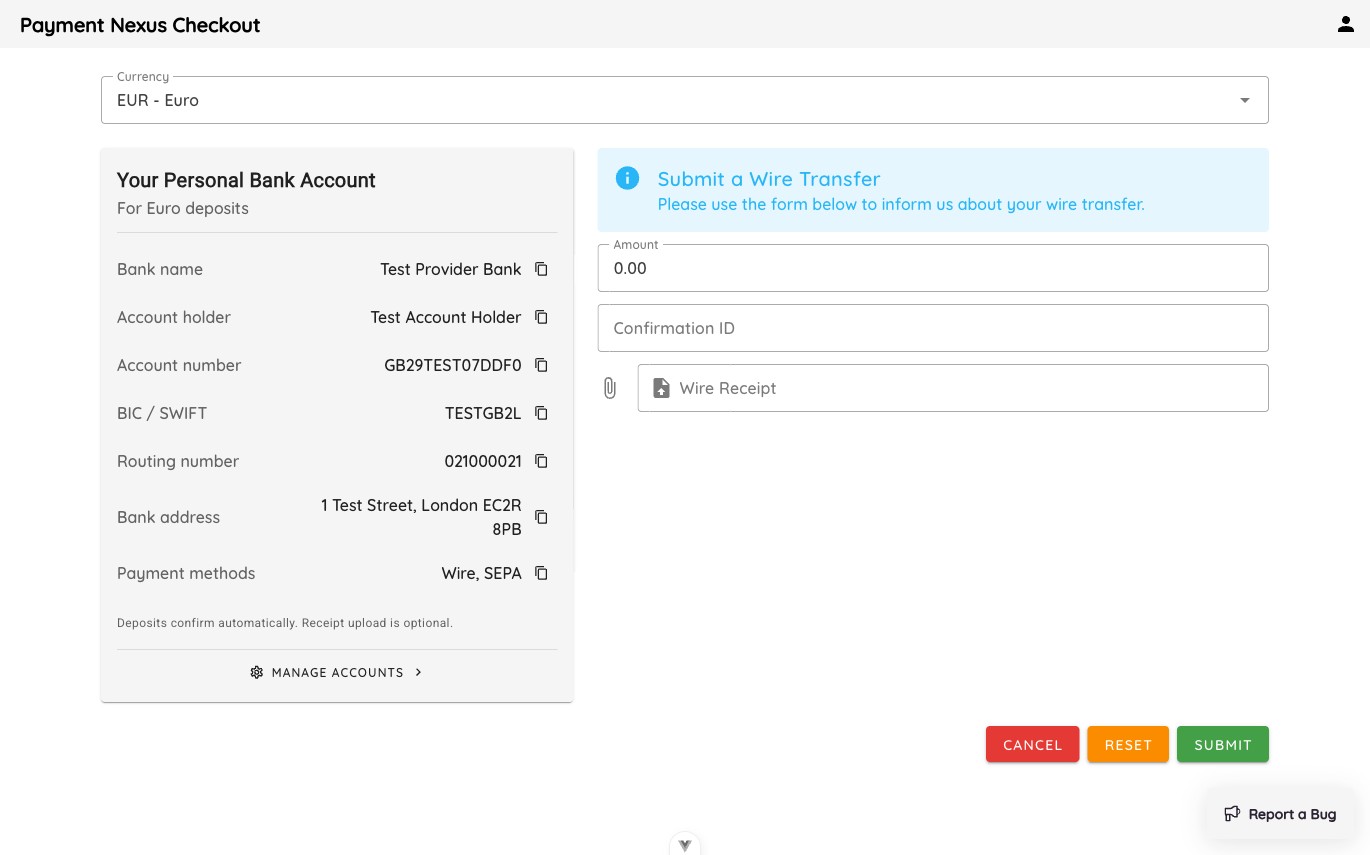
When a VIBAN is issued, the wire transfer channel displays a Your Personal Bank Account card instead of the standard form. This card shows the customer's bank name, account holder, account number, and routing details for the account currency. A Manage accounts link opens the customer's personal bank accounts page, where they can view all of their issued accounts. Understanding both views helps when you support customers who have questions about their deposit details.
Where to go
| Page | For |
|---|---|
| VIBAN Applications | Reviewing, creating, and correcting applications |
| Identity Verification Providers | Managing KYC vendor connections |
| VIBAN Availability | Turning provider families, accounts, banks, and currencies on or off |
| VIBAN Route Priority | Setting which providers a tenant uses per currency |
| Payment Channels | Enabling the wire transfer channel, which is what makes customer self-service possible at all |
| Identity Verification | Connecting a tenant to a KYC provider |
| KYC Integrations | Managing the catalogue of KYC vendor adapters |