

Appearance
Skip to content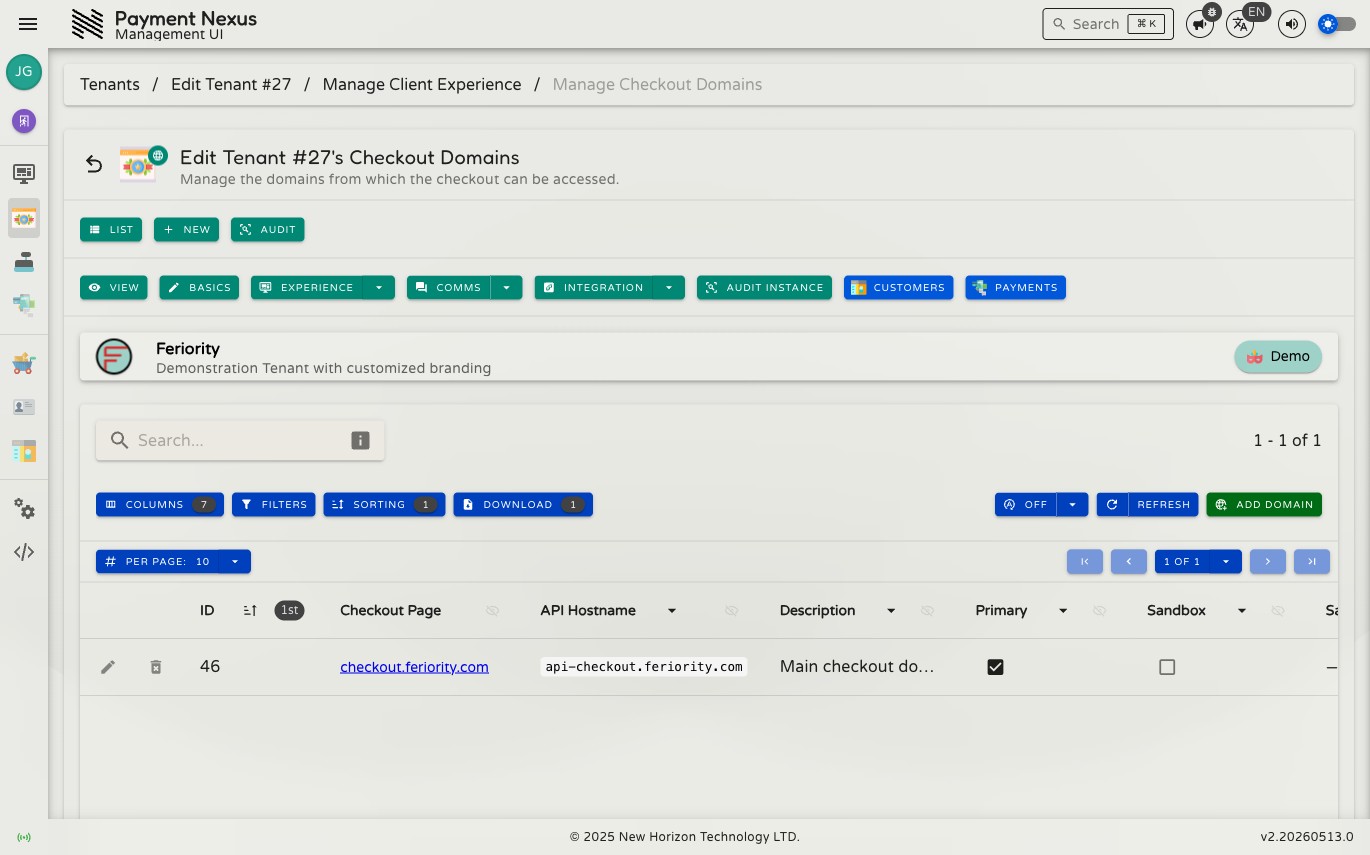
Checkout Domains
Checkout Domains defines the hostnames from which a brand's checkout can be accessed. Each domain entry maps a fully qualified domain name to its role — production primary, sandbox, or additional — and controls which IP addresses are permitted to access sandbox domains.
Permissions
| Action | Permission required |
|---|---|
| Manage checkout domains | tenant:update:domains |
Directory columns
| Column | Description |
|---|---|
| ID | Internal domain identifier |
| Checkout Page | The hostname served by the client-facing checkout UI |
| API Hostname | The fully qualified domain name (FQDN) configured for this entry |
| Description | Optional notes about the domain's purpose |
| Primary | Whether this is the brand's main public API domain |
| Sandbox | Whether this domain is for sandbox/testing use only |
| Sandbox IP Whitelist | IP addresses or CIDR ranges permitted to access this sandbox domain |
Created At and Updated At columns are available but hidden by default — use the column picker to show them.
Row actions
| Action | Description |
|---|---|
| Edit | Update the domain's configuration |
| Delete | Remove the domain entry |
Adding a domain
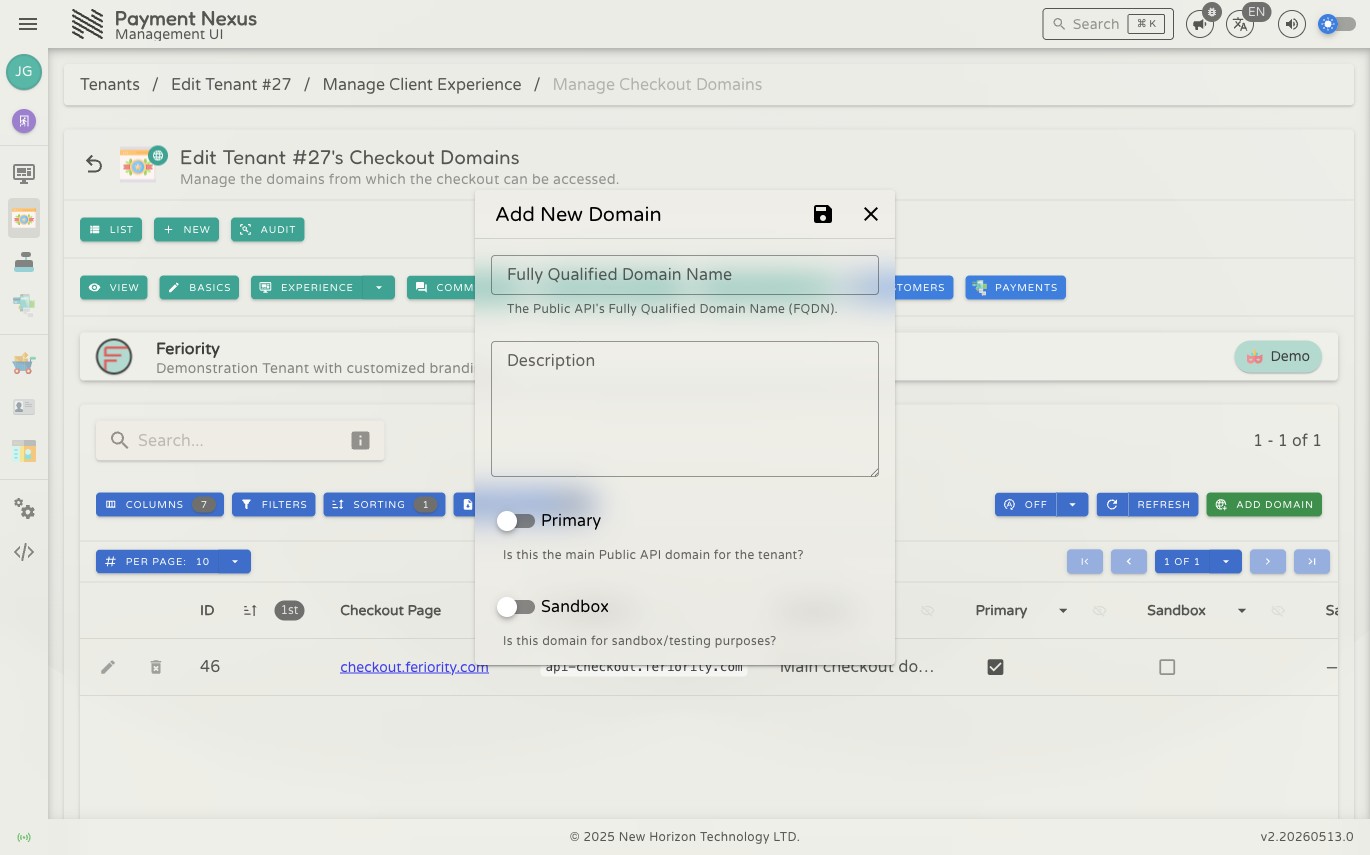
Click Add Domain to open the creation form.
| Field | Required | Description |
|---|---|---|
| FQDN | Yes | The fully qualified domain name (e.g. checkout.example.com) |
| Description | No | A note describing the domain's purpose |
| Primary | No | Toggle on if this is the main public API domain for this brand |
| Sandbox | No | Toggle on if this domain is for sandbox/testing purposes |
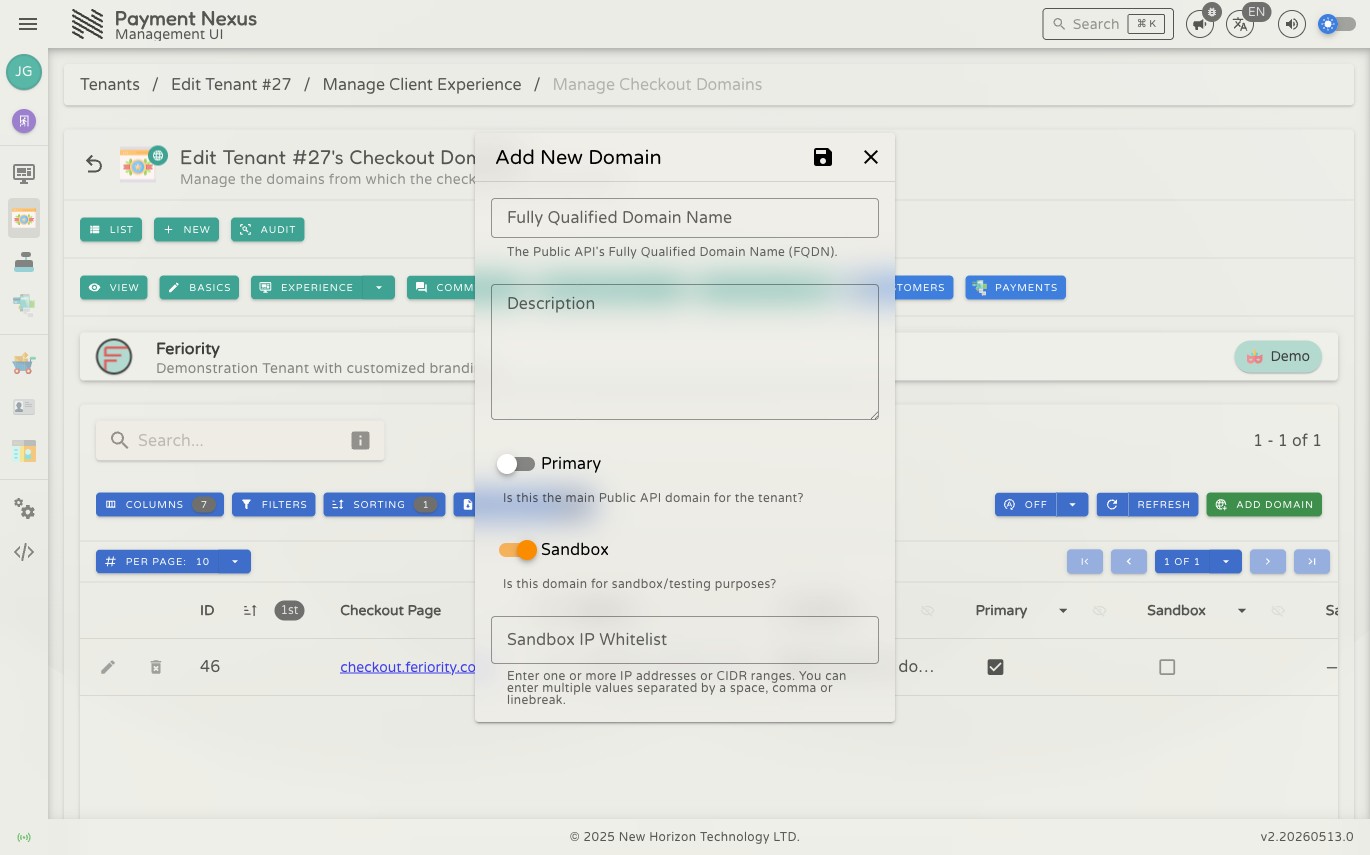
| Sandbox IP Whitelist | Conditional | Appears when Sandbox is enabled — see below |
WARNING
A domain cannot be both Primary and Sandbox. Enabling one automatically prevents the other from being set.
Sandbox IP Whitelist
When Sandbox is enabled the Sandbox IP Whitelist field appears. Enter one or more IPv4 or IPv6 addresses or CIDR ranges, separated by spaces, commas, or line breaks.
- Empty whitelist — no IP restriction. Any source IP can access the sandbox domain.
- Populated whitelist — only requests from the listed IPs or CIDR ranges are allowed through. Requests from any other IP will be blocked.
What sandbox mode does
A sandbox domain exposes PSP integrations that are in Development / QA release state in addition to all other active integrations. On a non-sandbox domain those integrations are hidden from checkout entirely, so sandbox domains are the correct place to test new PSP integrations before they reach UAT.
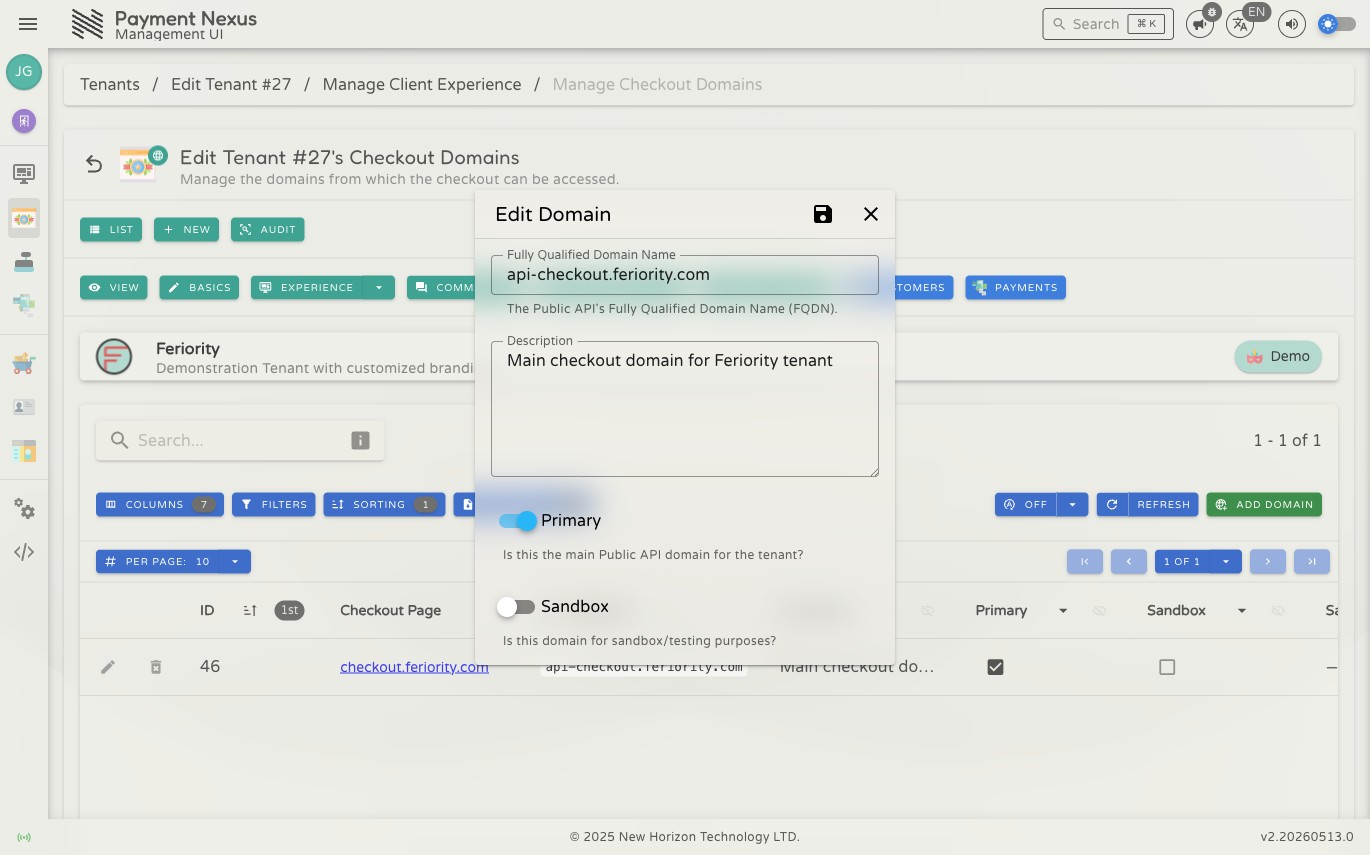
Editing a domain
Click the Edit button on any row to open the edit form. The fields are identical to the add form. Save the floppy-disk icon to apply changes.
The directory supports the standard search, filter, sort, and export controls common to all Payment Nexus directories.