

Appearance
Skip to content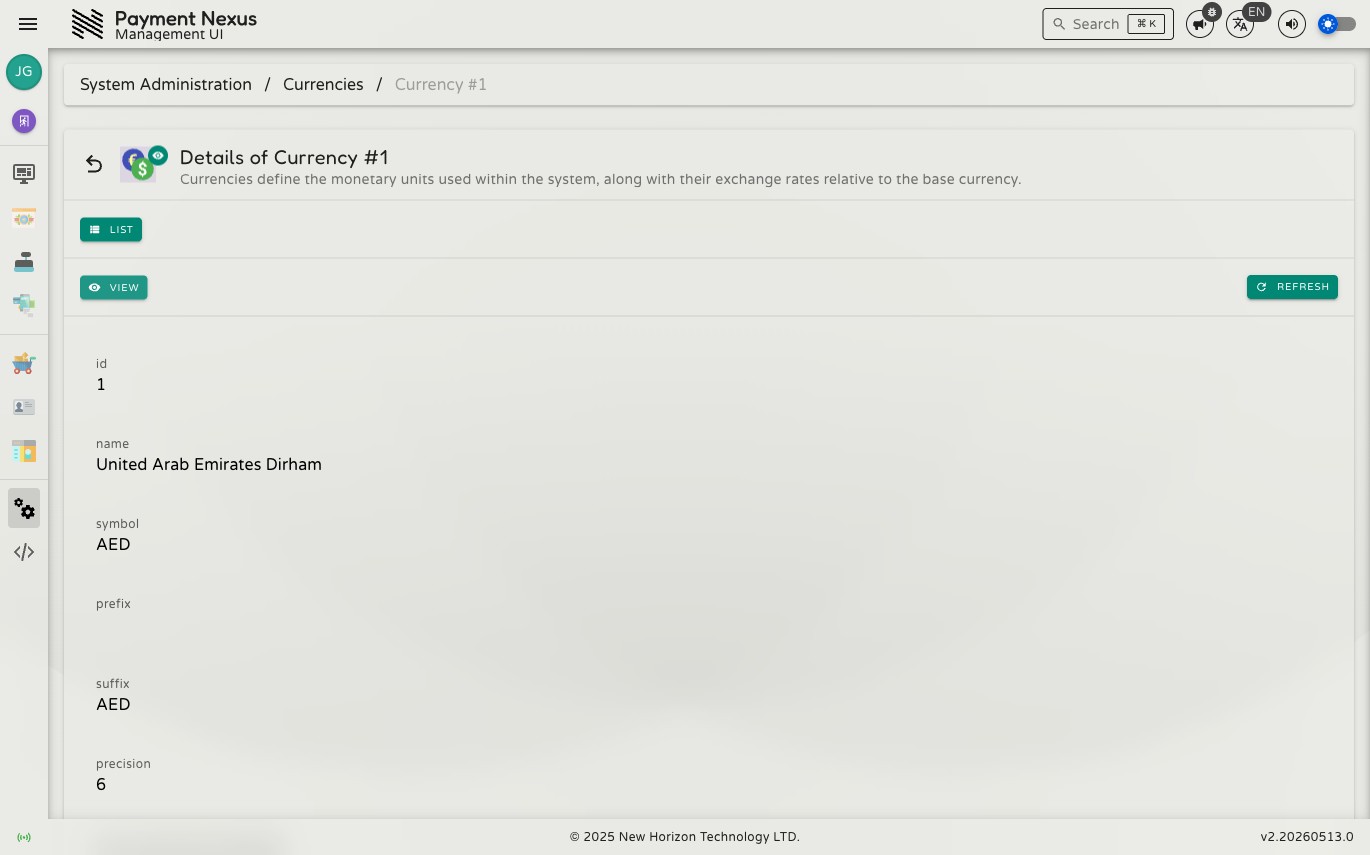
Viewing a Currency
The currency detail page shows the full configuration for a single currency record. Field names below match what is shown in the UI.
Fields
| Field | Description |
|---|---|
| name | Full currency name (e.g. "United Arab Emirates Dirham") |
| symbol | ISO currency code (e.g. AED) |
| prefix | Optional string prepended to displayed amounts |
| suffix | Optional string appended to displayed amounts |
| precision | Number of decimal places used when displaying amounts |
| minDepositAmountUnfactored | Minimum deposit amount before the factor is applied |
| minDepositAmountFactor | Scaling factor for the minimum deposit amount |
| maxDepositAmountUnfactored | Maximum deposit amount before the factor is applied |
| maxDepositAmountFactor | Scaling factor for the maximum deposit amount |
| rateToBaseUnfactored | Raw exchange rate value before the factor is applied |
| rateToBaseFactor | Divisor used to derive the actual rate (e.g. 1,000,000 means divide by 10⁶) |
| createdAt | When the currency record was first created |
| updatedAt | When the record was last updated by the sync service |
All fields are read-only. Currency configuration is managed at the system level.
Navigation
From the view page you can:
- List — return to the Currencies directory