

Appearance
Skip to content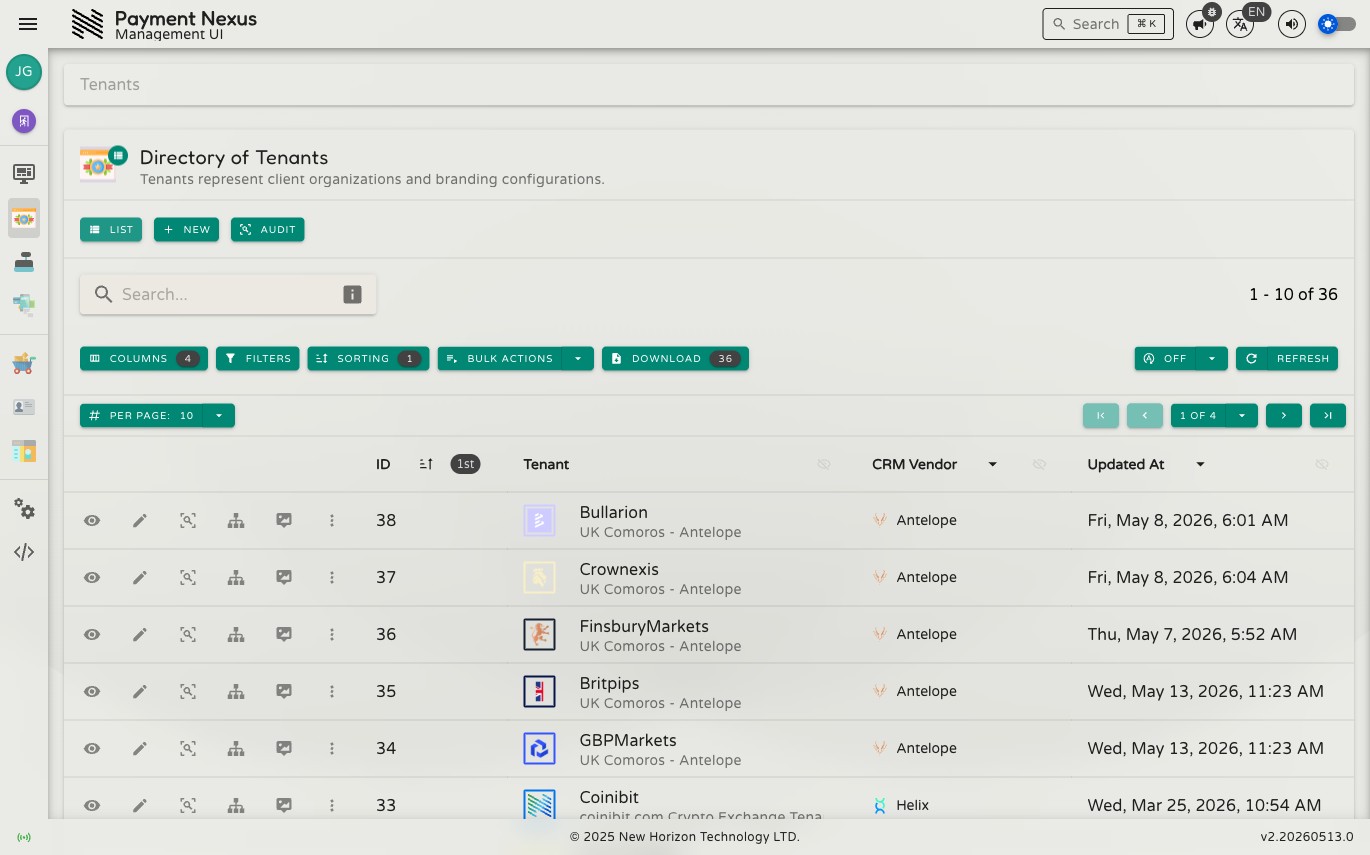
The Tenants Module
A tenant — commonly referred to as a brand within the organisation — is an isolated business entity within Payment Nexus. Tenants relate to CRM vendors the same way PSPs relate to PSP vendors: each tenant can connect to a CRM platform through an adapter, and multiple tenants can share the same CRM vendor. Each tenant has its own branding, domain configuration, customer records, PSP assignments, client communication settings, API credentials, and outgoing webhooks. Data is strictly separated between tenants.
The Tenants module is where you manage the full lifecycle of these entities: creating new tenants, configuring their checkout experience, wiring up integrations, and monitoring their payments and customers.
Permissions
| Action | Permission required |
|---|---|
| List tenants | tenant:list |
| View a tenant | tenant:read |
| Create a tenant | tenant:create |
| Edit basic details | tenant:update:basic |
| Edit branding | tenant:update:branding |
| Edit payment channels | tenant:update:channels |
| Edit domains | tenant:update:domains |
| Edit CRM adapter | tenant:update:adapter |
| Manage support settings | tenant:update:support |
| Manage API credentials | tenant:manage:api:credentials |
| Manage webhooks | tenant:manage:webhooks |
| View audit trail | tenant:audit |
Directory
The tenant directory is searchable, filterable, sortable, and exportable.
| Column | Description |
|---|---|
| ID | Internal tenant identifier |
| Tenant | Brand name and visual identity |
| CRM Vendor | The CRM system integrated with this tenant, if any |
| Updated At | Timestamp of the most recent configuration change |
Row actions
Each row has four pinned actions:
| Action | Description |
|---|---|
| View | Open the tenant detail page |
| Edit | Edit the tenant's name and description |
| Manage Channels | Jump directly to payment channel configuration |
| Manage Branding | Jump directly to branding configuration |
Creating a tenant
Click New in the toolbar to create a new tenant. This opens a full creation form covering basic details, branding, and initial configuration.