

Appearance
Skip to content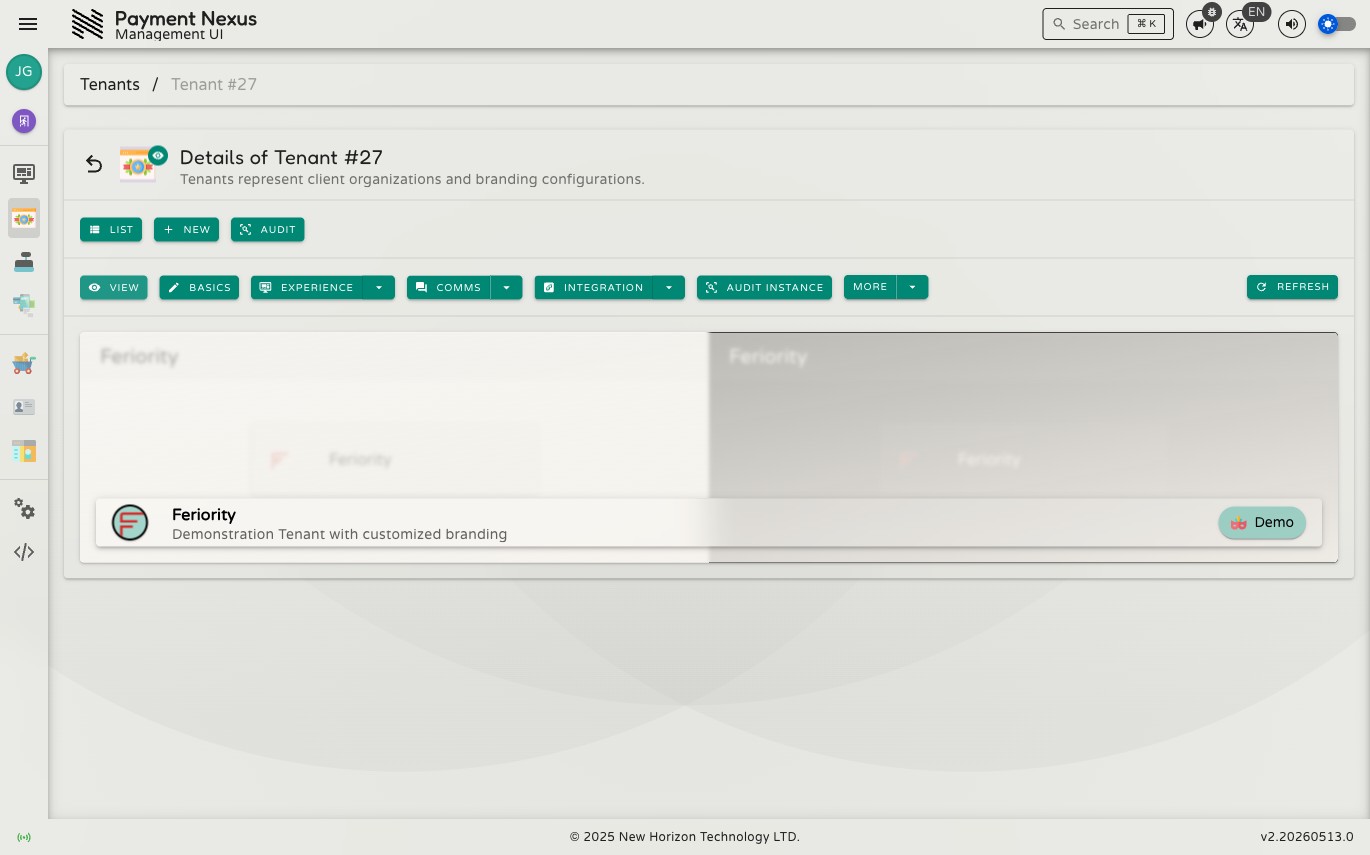
Viewing a Tenant
The tenant detail page is the hub for everything about a specific tenant. It shows the tenant's identity at a glance and provides navigation to every configuration area.
What is shown
The page displays a brand cover built from the tenant's own branding configuration — logo, colours, and theme. Below that:
| Field | Description |
|---|---|
| Name | The tenant's organisation name |
| Description | A short summary of the tenant's business or purpose |
Navigation
The toolbar provides direct access to every tenant sub-section:
| Action | Destination |
|---|---|
| Basics | Edit name and description |
| Experience → Manage Checkout Branding | Checkout Branding |
| Experience → Manage Payment Channels | Payment Channels |
| Experience → Manage Checkout Domains | Checkout Domains |
| Integration → Manage CRM Adapter Configuration | Adapter Configuration |
| Integration → Manage Inbound API Credentials | API Credentials |
| Integration → Manage Outbound Webhooks | Webhook Management |
| Audit Instance | Audit trail for this specific tenant |
| Customers | Tenant customers linked to this tenant |
| Payments | Payment Intent Tickets processed under this tenant |