

Appearance
Skip to content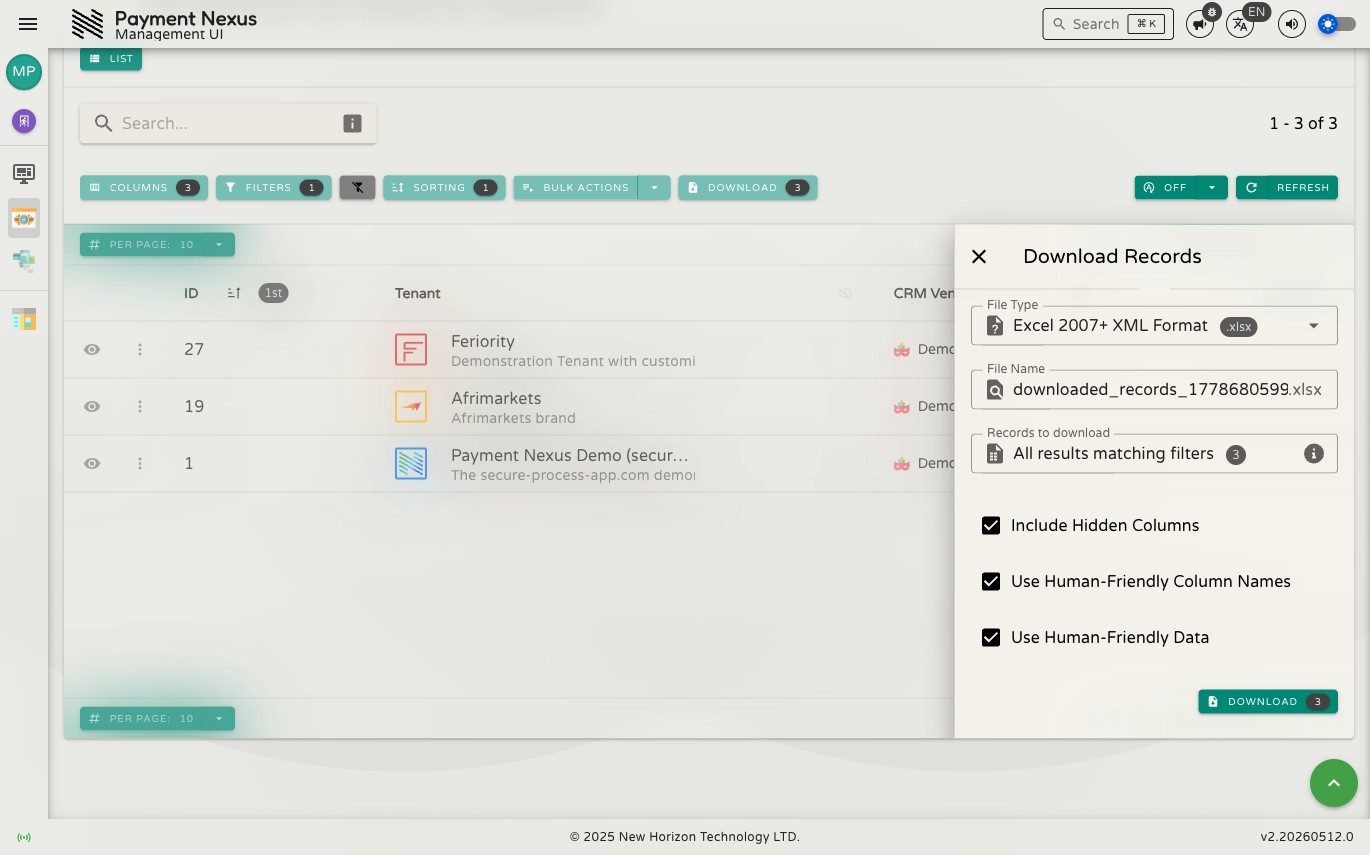
Exporting
Directories support downloading records to a file for use in spreadsheets, reporting tools, or offline review. This is useful when you need to share a filtered result set, hand off data to another team, or build a report outside the system.
Click the Download button in the toolbar to open the export drawer.
File Name
The file name field is pre-filled with a default name based on the module. You can edit it before downloading.
Records to Download
The drawer shows how many records will be included — all results matching your current search and filters. Apply filters before opening the drawer to narrow the export to exactly what you need.
Options
Three checkboxes let you control the output format:
- Include Hidden Columns — include fields that aren't currently visible in the table
- Use Human-Friendly Column Names — use readable display names instead of raw field keys
- Use Human-Friendly Data — format values for readability (e.g. status labels instead of codes)
Downloading
Click Download to generate the file. It downloads as an Excel (.xlsx) file directly to your browser's downloads folder.