

Appearance
Skip to content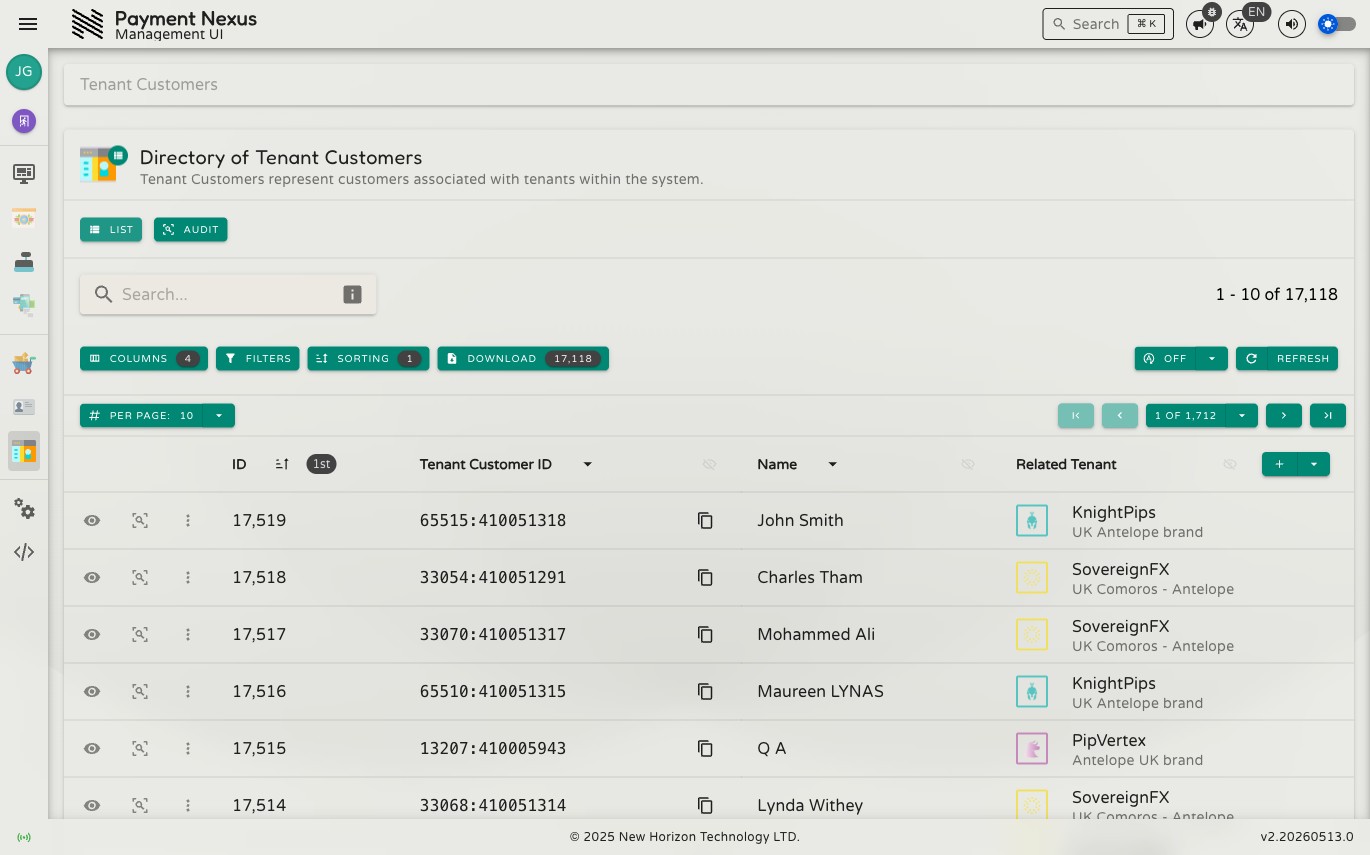
The Tenant Customers Module
A Tenant Customer is a customer record scoped to a specific brand. Each record links a customer's identity — name, contact details, and addresses — to the brand they belong to, and serves as the hub for their payment history within that brand.
Tenant Customers are created by the brand's CRM integration and cannot be created or edited from the management portal.
Permissions
| Action | Permission required |
|---|---|
| List customers | tenant_customer:list |
| View a customer | tenant_customer:read |
| View personal information | tenant_customer:read:pii |
| View audit trail | tenant_customer:audit |
PII visibility
Name, email, phone, and address fields are only shown to users with the tenant_customer:read:pii permission. Without it, those fields are hidden throughout the directory and detail page.
Directory
The Tenant Customers directory is searchable, filterable, sortable, and exportable. It supports all standard directory features including the filter builder, power search, and column customisation. See the Directories section for full details on these shared capabilities.
Default columns
| Column | Description |
|---|---|
| ID | Internal Payment Nexus identifier for this customer record |
| Tenant Customer ID | The customer's identifier in the brand's own system. Copyable. |
| Name | The customer's full name. Visible only with tenant_customer:read:pii. |
| Tenant | The brand this customer belongs to |
Row actions
Each row has two pinned actions:
| Action | Description |
|---|---|
| View | Open the full customer detail page |
| Audit | View the audit history for this customer record |
Toolbar actions
| Action | When shown | Description |
|---|---|---|
| View Tenant | Always | Navigate to the brand record for the selected customer. Requires tenant:read. |
| Payments | Always | View all Payment Intent Tickets for the selected customer. Requires payment_intent_ticket:list. |
Viewing a Customer
Clicking View on any row opens the customer detail page. See Viewing a Tenant Customer for a full breakdown of every field.