

Appearance
Skip to content
Auditing
Payment Nexus keeps an immutable audit trail of every significant action taken in the system. Audit log entries are created automatically — they cannot be edited or deleted after the fact.
What Gets Audited
An entry is created whenever a user (or the system itself) performs one of the following actions on a tracked record:
| Action | Description |
|---|---|
login | A user authenticated |
list | A directory was queried |
read | A single record was opened |
create | A new record was created |
update | A record was modified |
delete | A record was deleted |
Tracked models: User, Tenant, Payment Service Provider, Tenant PSP, PSP Customer Account, Payment Intent, Tenant Customer, Role, VIBAN Application, Identity Verification Provider, Tenant Identity Verification Provider.
Viewing Audit Logs
There are two ways to access audit logs depending on what you're investigating.
Global Audit Log
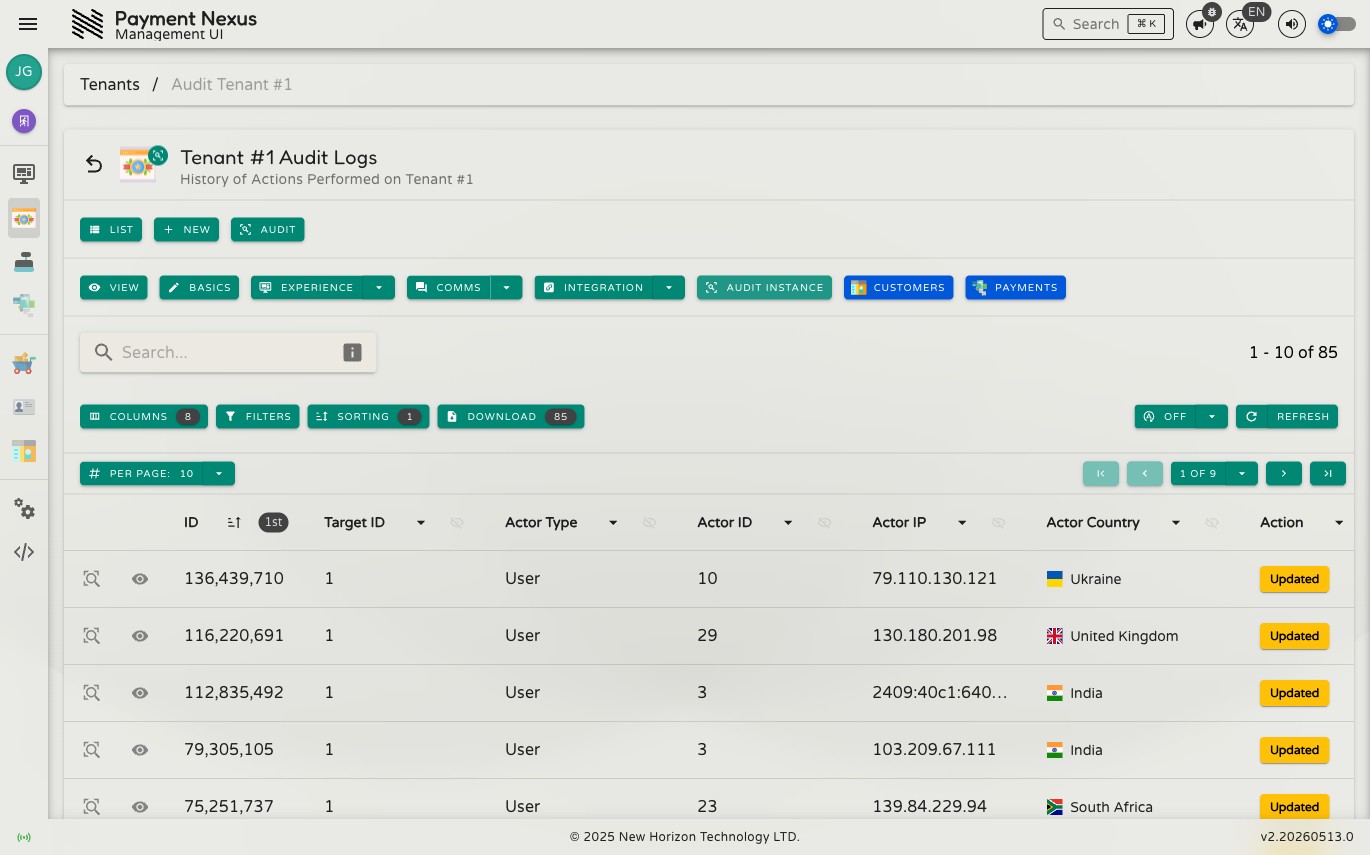
The global audit log at Debug Tools → System Audit Log shows every audit entry across the entire system in reverse chronological order. Each row shows the model and record ID that was acted on, who performed the action, their source IP and country, the action type, and when it happened.
Use the filters to narrow by actor, model type, record ID, action, date range, IP address, country, or session ID. This is the right view when you're investigating a specific actor's behaviour across multiple records, tracking down a suspicious login, or doing a broad compliance review.
Record-Level Audit Tab
Every audited record has an Audit tab on its detail page. It shows the full history of changes to that specific record — create, update, and delete events, in order.
This is the right view when you're investigating a specific record: a tenant whose configuration changed unexpectedly, a payment that was updated, a user account that was modified.
Modules with record-level audit tabs: Tenants, Payment Service Providers, Tenant PSPs, PSP Customer Accounts, Payment Intents, Checkout Intents, Tenant Customers, Users, Roles, VIBAN Applications, and Identity Verification Providers.
Audit Entry Detail
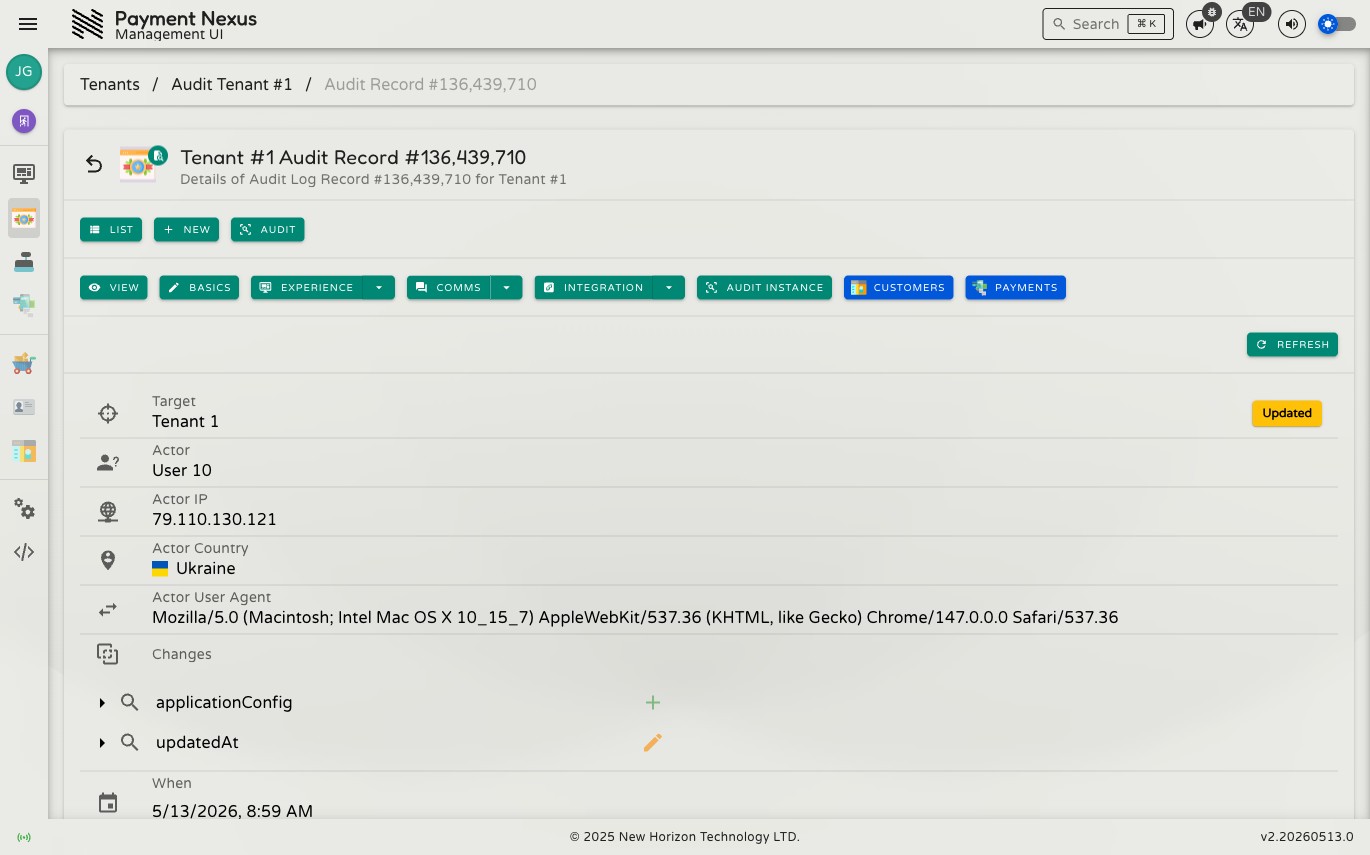
Click any row to open the full detail view.
Who
The actor that performed the action — a user, a tenant, a PSP customer, or the system itself. Where you have permission to view the actor's record, their name or identifier is a link.
Also shown: source IP address (with geolocation link), country, user agent, and session ID.
What
The model type, the record ID, and the action taken.
Where (Changes)
For create, update, and delete events, the entry records exactly what changed:
- Added — fields that were set for the first time
- Updated — fields whose value changed, showing both the old and new value
- Deleted — fields that were removed or cleared
Changes are shown as a tree. Click any field to expand it and view the full value. Nested objects are navigable inline.
When
The UTC timestamp of the action.
Access Control
Viewing audit logs requires the auditLog:monitor permission. Users without this permission will not see the global audit log page or the audit tabs on individual records. Contact your administrator if you need access.