

Appearance
Skip to content
Advanced Settings
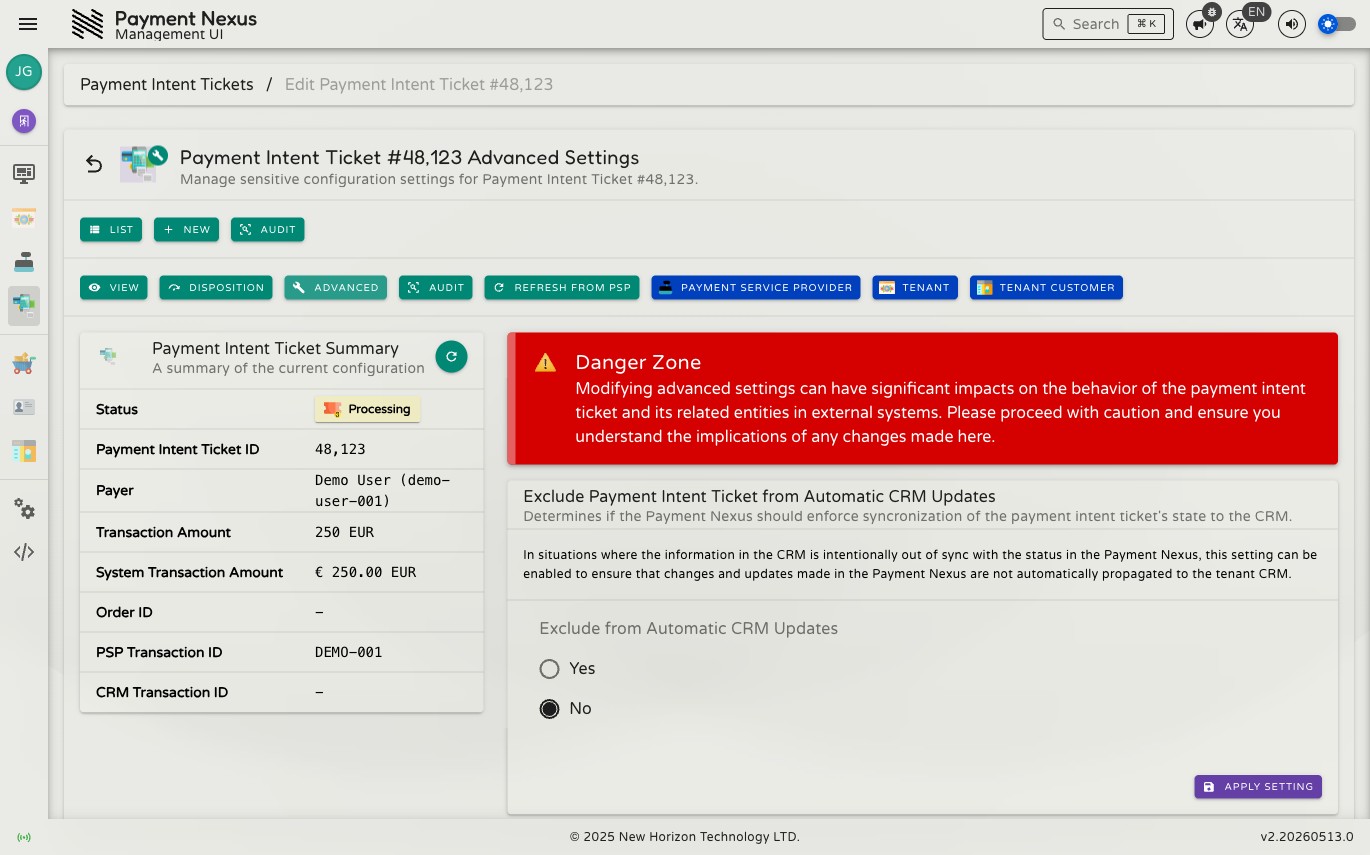
Each Payment Intent Ticket has an advanced settings section that exposes a single configuration toggle. Advanced settings are separate from the ticket's core payment data and are edited through their own form.
Permissions
| Action | Permission required |
|---|---|
| Edit advanced settings | payment_intent_ticket:update:advanced |
Excluded from Automatic CRM Updates
The only setting under Advanced is Excluded from Automatic CRM Updates. When enabled, Payment Nexus will not automatically send status updates for this ticket to the brand's CRM system.
This is useful when:
- The CRM has already been updated manually and a duplicate notification would cause confusion.
- A payment is being processed outside the normal CRM workflow and should not appear in the CRM's records.
- The CRM integration is temporarily misconfigured and you need to suppress updates for specific tickets while it is fixed.
The setting affects only CRM webhook notifications — it does not affect:
- The ticket's status lifecycle within Payment Nexus
- PSP communication or reconciliation
- Checkout session behavior
- Any other ticket processing
Accessing Advanced Settings
From the PIT detail page, click Advanced in the detail toolbar. From the directory, open the overflow menu on the row and click Edit Advanced.
The form shows a single toggle switch. Flip it on or off and save. The change takes effect immediately — no other ticket fields are shown or editable on this form.
Default is off
New tickets are created with Excluded from Automatic CRM Updates set to off. CRM notifications are sent by default; you must explicitly enable this setting to suppress them.