

Appearance
Skip to content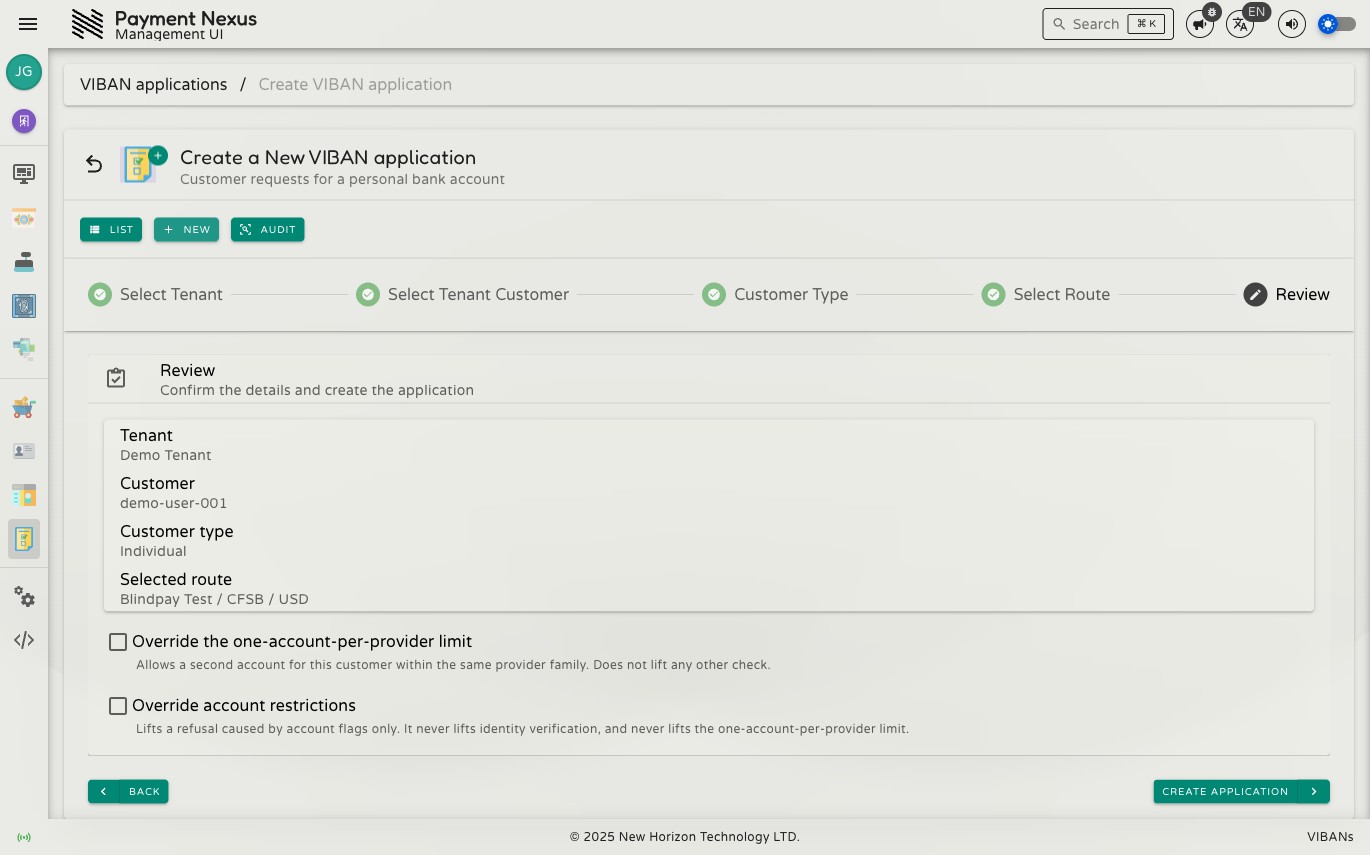
When a Customer Already Has a VIBAN With a Provider
When an operator or customer creates a new VIBAN application, the platform may reject the request if the customer is already linked to a different account within the same provider family. This guide explains why this rejection occurs and how to resolve it.
Why this rule exists
A customer can hold only one provider account (one MID) per provider family at a time. When a customer receives their first VIBAN under a provider family (for example, Blindpay), the platform links them to that specific provider account going forward, rather than to the provider family in general. This restriction applies regardless of currency. It applies whether the new request is for the same currency or a different currency.
Provider families track customer funds through a single account relationship. Assigning a customer to multiple accounts within the same provider family would prevent accurate tracking.
What's still allowed under the same commitment
Linking a customer to one MID does not limit the customer to a single currency or bank route. Under the assigned provider account, the customer can:
- Add additional currencies under that same provider account
- Add additional banks under that same provider account, if the provider supports multiple banks
These actions do not trigger a conflict. A conflict occurs only when a request targets a different provider account within the same family.
What's never allowed, override or not
No permission allows an operator to reassign an existing customer commitment to a different MID within the same provider family. The platform does not automatically change a customer's existing provider-family assignment.
Switching provider families entirely is not restricted. A customer linked to one Blindpay account can open a VIBAN with a different, unrelated provider family. The one-provider-account-per-family rule applies only within a single provider family. It does not restrict which provider families a customer can use.
Overriding the conflict
If a business need requires a second account under the same provider family (such as provider consolidation or data correction), the creation wizard's Review step includes the Override the one-account-per-provider limit checkbox. This option requires the viban_application:cardinality:override permission. It disables only the one-provider-account-per-family check and does not bypass identity verification.
Use this override only for documented operational exceptions
Do not use it to bypass provider relationship rules without an authorized business justification.
Where else this shows up
This rule also prevents a disabled MID from automatically reassigning customers to another MID. For more information, see Turning Off Part of a Provider's Availability. If a customer's only route under their assigned MID becomes unavailable, the system does not migrate the customer to another MID in the same family. The customer must wait until the route becomes available again, or use a different provider family.