

Appearance
Skip to content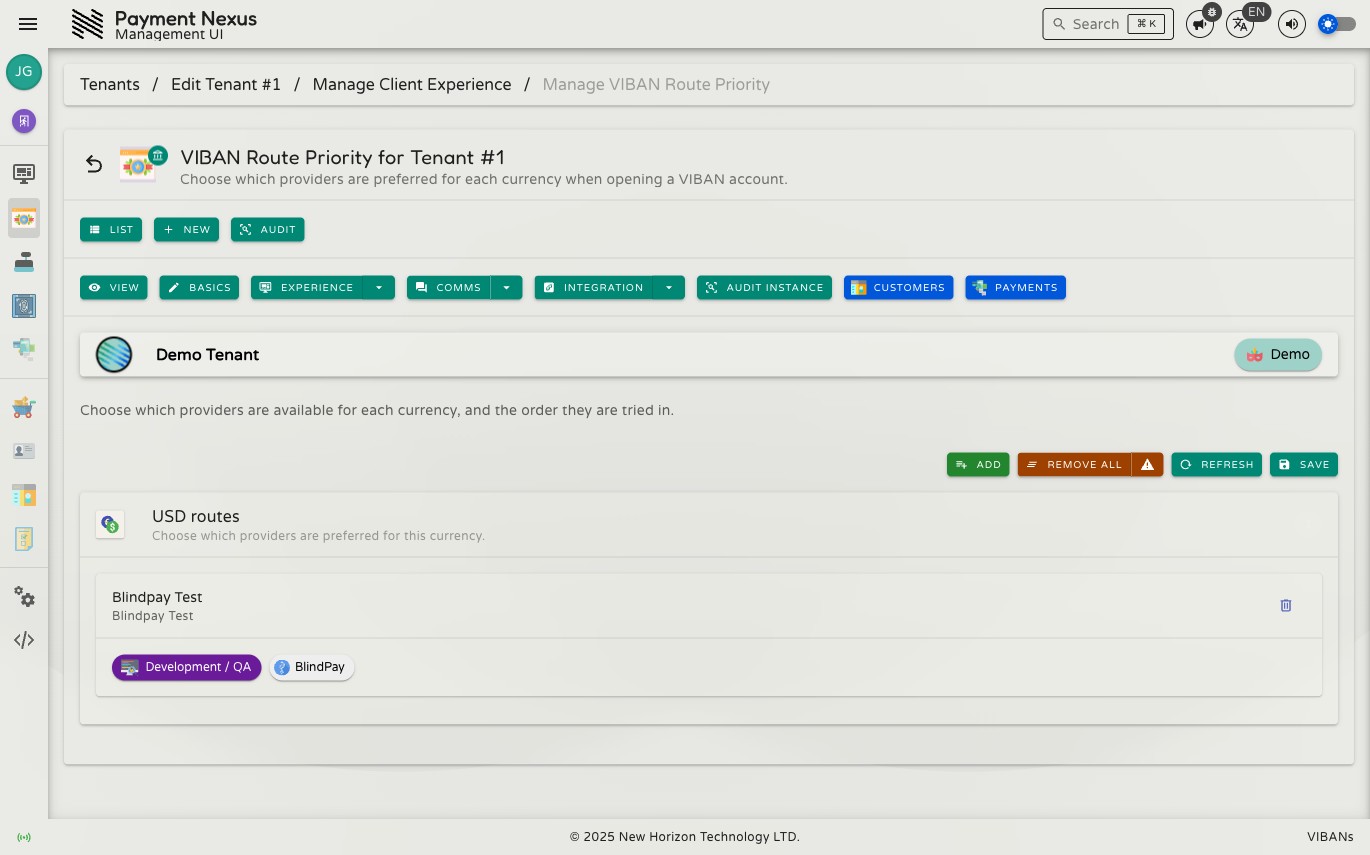
VIBAN Route Priority
VIBAN Route Priority controls which provider accounts a brand uses to issue VIBANs. It also sets the order the platform tries providers for each currency. It works the same way as Payment Channels, with one card for each currency instead of each category.
Permissions
You must have both permissions below together. If an operator has only one permission, the page looks editable, but saving fails.
| Action | Permission required |
|---|---|
| Edit route priority | tenant:update:channels |
| Grant VIBAN issuance to a provider | viban_availability:manage |
Why both
Adding a provider on this page does more than reorder a preference. It also allows that provider to issue VIBANs for this brand. This performs the same update as Link VIBAN to Tenants on the provider's own Linked Tenants page. If an operator only had permission to edit channels, they could grant live issuance rights without holding the permission required for that grant. For this reason, the system requires both permissions together.
Currency cards
Each card represents one currency and lists the provider accounts connected to it in priority order. The cards use the same drag-and-drop list and linked records as a Payment Channels card. The provider name links to its PSP record. Next to the name, you can see a release-state badge and the vendor name.
Adding a provider
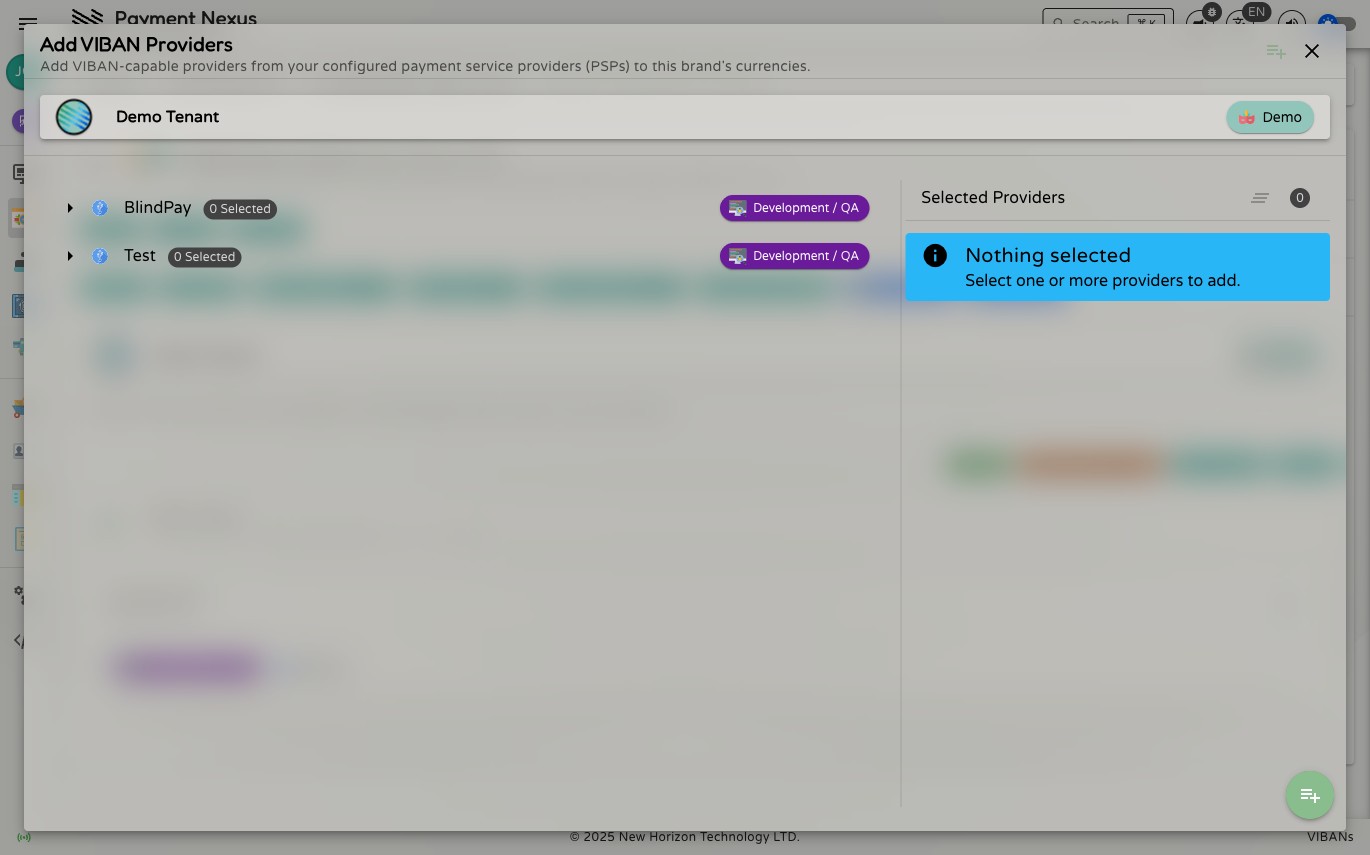
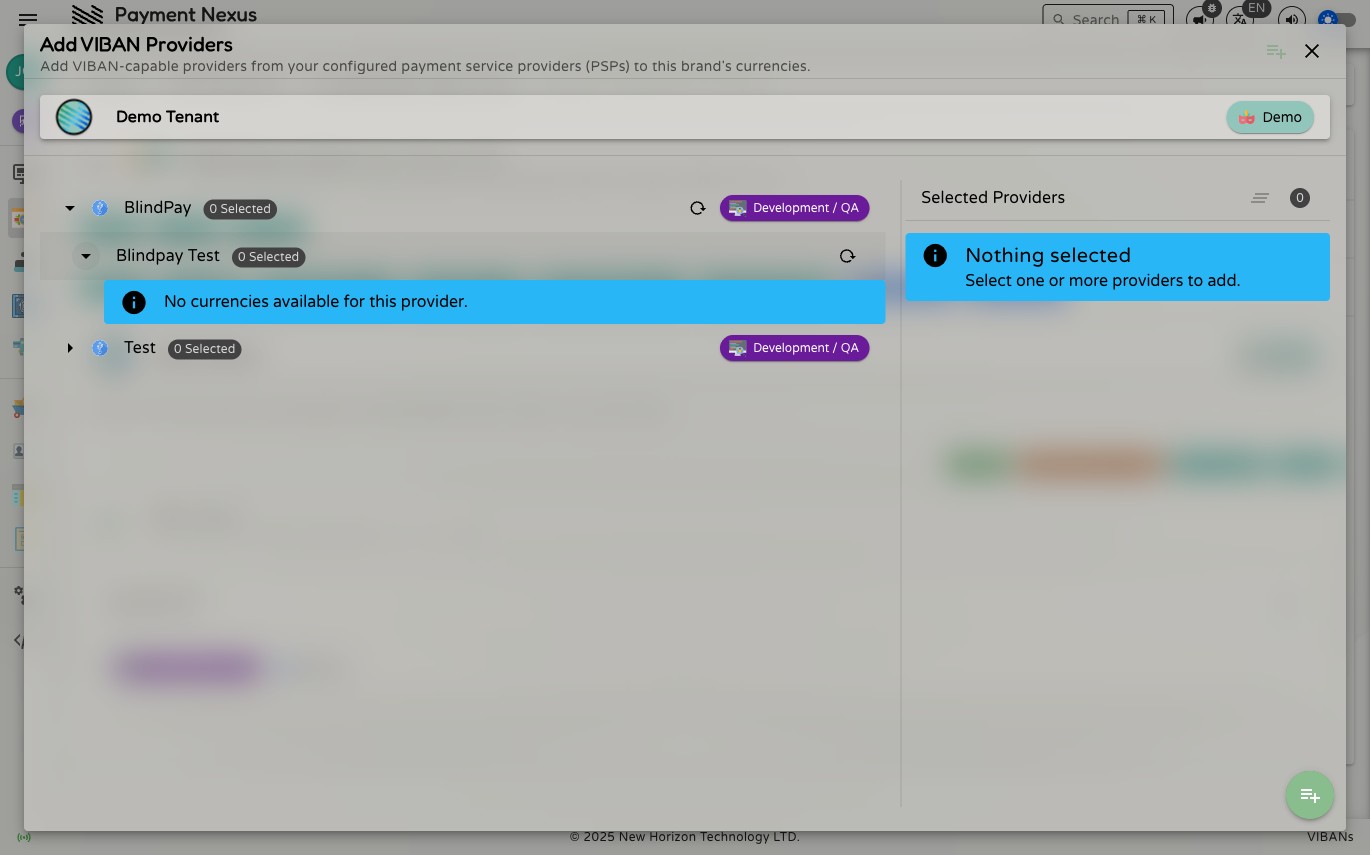
Click Add to open the selection window. Expand a provider family to see its accounts, and expand an account to see the currencies you can add. Select a currency to stage it. The system saves nothing until you click Save on the main page.
Why a provider shows no currencies to add
If an expanded provider account shows No currencies available for this provider, it is due to one of these reasons:
| Cause | What to do |
|---|---|
| Its banks have never been discovered | Run Discover banks on the VIBAN Availability page for this provider |
| Every route under it is switched off | Turn the relevant bank or currency route back on in VIBAN Availability |
| Every currency it supports is already added to this brand | Nothing to do — it's already fully connected |
What's different from Payment Channels
Unlike Payment Channels, a provider added here is not a payment method that customers see directly. Instead, it sets the routing preference behind VIBAN issuance. Customers only see a wire transfer option if you add the wire channel separately. This page only decides which provider the platform uses when that channel issues an account.
Saving changes
Like Payment Channels, adding, removing, and reordering providers here is staged until you click Save. If you leave the page without saving, the system discards all pending changes.